TradingView is still very strong at charting, so the best of the TradingView alternatives for you depends on why you are leaving. If the limits on the $0 plan bother you, look at apps with a free tier or a lower price. If you want testing, bots, order flow or fundamentals, look at a tool built for that job. Below are eight apps compared on the same checks, one of which is ours.
The best TradingView alternatives at a glance
We compared 8 apps on the same checks. We make AiTradely, so it is on this list.
| App | Platforms | Backtesting | AI | Places trades | Starting price |
|---|---|---|---|---|---|
| AiTradelyAI analysis and trade plans | iPhone, Android, web | Yes, strategy builder | Yes | Yes, you confirm (cTrader, MetaTrader 5) | Paid plans priced by country |
| TrendSpiderChart-pattern automation | Web, iPhone, Android (per its site) | Yes | Yes | Via connected brokers | $32.94 a month (sale price) |
| MetaTrader 5Robots and custom indicators | Windows, macOS, Linux, web, iPhone, Android | Yes | Not stated | Yes, via your broker | Software $0, broker costs not stated |
| cTraderC# or Python bots | Windows, Mac, web, iPhone/iPad | Yes, desktop only | Not stated | Yes, via your broker | Not stated |
| FinvizFast stock screening | Website, mobile app | Not stated | None mentioned | No | $0 tier, Elite $24.96 a month billed yearly |
| StockChartsClassic technical charts | Website, iPhone/iPad companion | Not stated | Not stated | No | From $19.95 a month, plus a free tier |
| KoyfinFundamentals and macro dashboards | Web, iPhone/iPad, Android | Not stated | None built in | No | $0 tier, Plus $39 a month |
| GoChartingOrder flow charting | Web, iOS, Android | Not stated | None in the product | Yes, via connected brokers | $0 tier, Premium priced by market |
Everything about the other apps comes from their own websites and store pages, checked on 5 November 2026. Prices and features change, so check the app before you pay.
How we compared them
We asked the same questions of every app:
- Where does it run: browser, desktop, phone?
- Can you test a rule on past prices, and do you need to code?
- Does it have AI features, and what does its own site say they do?
- Can you place a trade from it, and through whom?
- What does the cheapest paid plan cost, and what does the $0 tier limit?
What TradingView costs
TradingView's Basic plan is $0 with 2 indicators per chart and 3 price alerts. Paid plans start at $12.95 a month billed yearly (Essential: 5 indicators, 20 alerts). Those limits are the usual reason people search for a free TradingView alternative. For a head-to-head with our app, see AiTradely vs TradingView.
1. AiTradely: AI analysis and trade plans
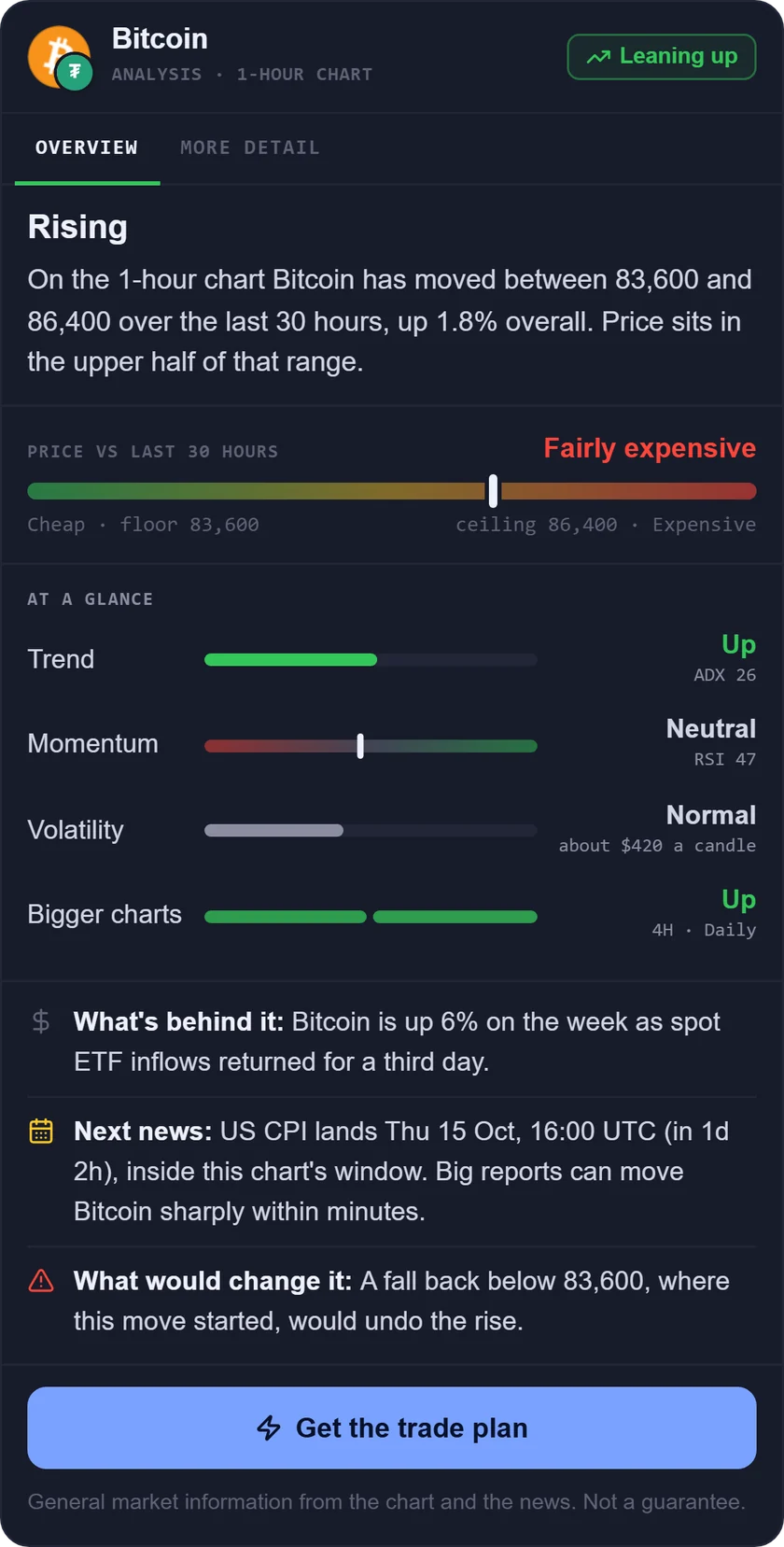
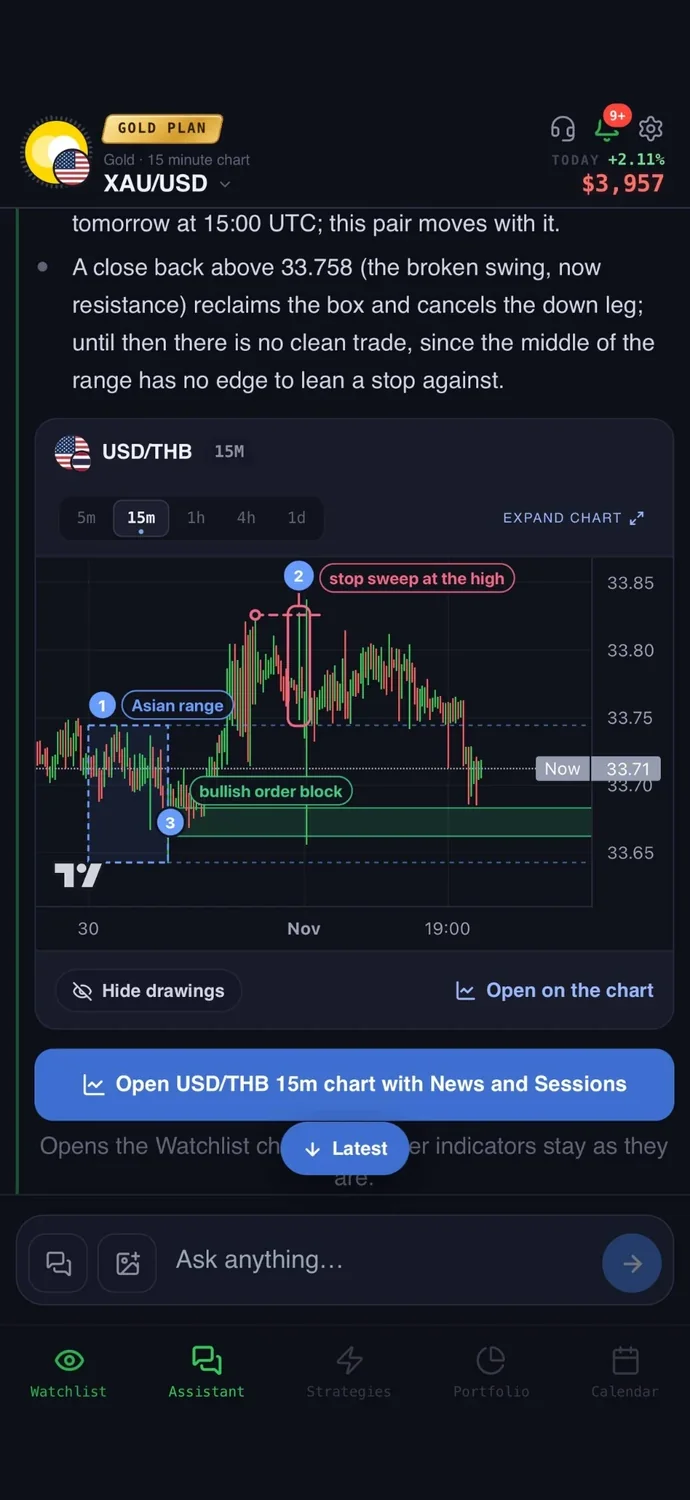
What it is: an AI trading assistant on iPhone, Android and the web. You ask about a market in your own words, and it reads live prices, indicators, today's news and the economic calendar before it answers.
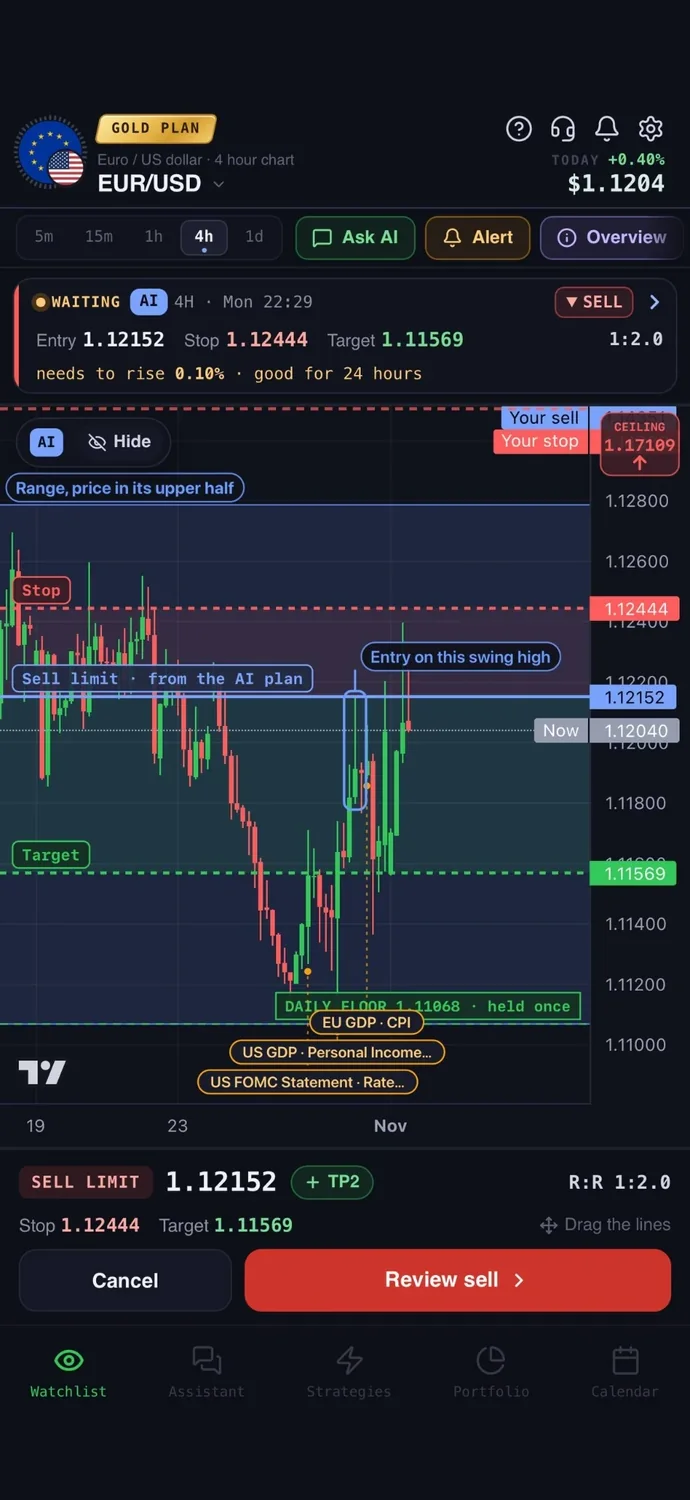
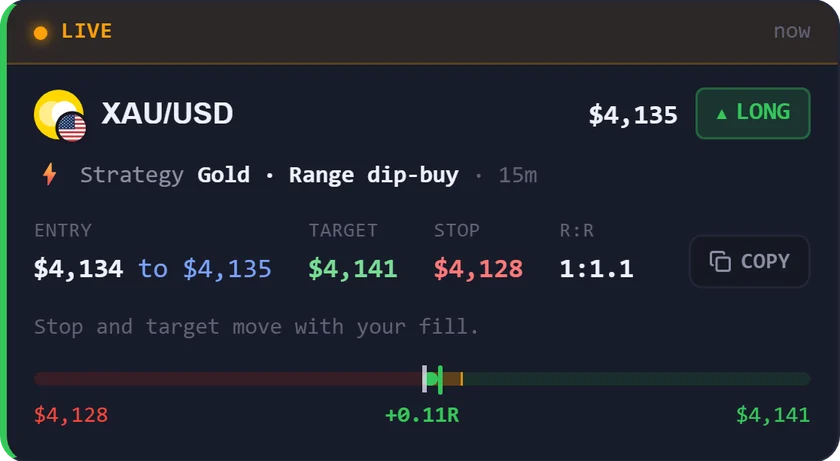
Instead of TradingView: it is not a charting replacement: it does a different job. You get a trade plan with an entry, a stop loss, a take profit, the risk to reward and what would cancel the idea, with the key levels drawn on the chart. A strategy builder lets you describe a rule in words, test it on real price history, and get a push and a Telegram message when it triggers. You can connect a broker account and place the order from the app: for cTrader on the Trader and Gold plans, and for MetaTrader 5 on the Gold plan. You confirm every order, and your money stays with your broker.
Price: your first questions and your first trade plan are on us; after that, the paid Trader and Gold plans are priced by country (see the pricing page).
Keep in mind: its charts are there to support the analysis and the plan. It does not try to match a dedicated charting platform on drawing tools or community, and it has no chart pattern conditions in its builder, so many traders use both. It is an analysis tool, not a robot, and it never places a trade without your confirmation.
2. TrendSpider: automated patterns and no-code testing
What it is: a web-based platform that bundles charting, scanning, strategy testing, alerts and AI tools. It also has a Chrome extension, an iPhone app and, per its site, an Android app.
Instead of TradingView: it automates pattern and trendline detection, and its Strategy Tester can be set up by point and click or in plain language. Its Sidekick assistant reviews charts, runs scanners and creates alerts.
Price: no plan at $0 for the platform. Sale prices on 5 November 2026 started at $32.94 a month (Standard), with higher renewal ranges and an unclear billing cycle. A paid trial is offered.
Keep in mind: promo prices differ widely from renewals, so check what you would pay after the first period. More in AiTradely vs TrendSpider.
3. MetaTrader 5: robots and custom indicators
What it is: a trading platform from MetaQuotes that you open through a broker account. It runs on Windows, macOS, Linux, the web, iPhone and Android.
Instead of TradingView: its Strategy Tester runs trading robots (Expert Advisors) on history, with optimisation and forward testing. Robots are written in MQL5, or bought from its market. Orders go through your broker's server.
Price: the software is $0. Broker costs are not stated, and robots in its market are priced individually.
Keep in mind: live trading needs a separate broker account, and its own risk warning says trading can lose money quickly. See MetaTrader 5 and AiTradely.
4. cTrader: bots in C# or Python
What it is: a trading platform from Spotware that you use through a broker account. Its Store sells bots, indicators and plugins from third parties.
Instead of TradingView: it offers backtesting and optimisation, with bots and indicators written in C# or Python. It has several chart types, drawing tools, price alerts and one-tap orders through your broker.
Price: the platform price is not stated. The iPhone app is $0 to download, and Store products are priced by sellers.
Keep in mind: backtesting and bot development are desktop only (Windows and Mac). See trading apps that connect to cTrader.
5. Finviz: screener and market maps
What it is: a stock research website known for its screener and market maps, with a paid Elite tier. It also covers ETFs, futures, forex and crypto, plus news and an economic calendar.
Instead of TradingView: it is known for its stock screener and market maps. It does not place trades.
Price: the $0 tier has ads and delayed quotes. Elite is $24.96 a month billed yearly, or $39.50 billed monthly, and adds real-time quotes, alerts, no ads and exports. Its trial renews automatically.
Keep in mind: alerts, exports and the full chart suite need Elite.
6. StockCharts: classic technical charts
What it is: a charting and screening website running since 1999, known for SharpCharts and Point and Figure charts. An iPhone and iPad companion app exists for members.
Instead of TradingView: it covers many markets, from US and Canadian stocks to crypto, with templates, ChartLists and Relative Rotation Graphs. Its home page claims over 1,000 technical indicators.
Price: Basic is $19.95 a month ($239.40 billed yearly), Extra $29.95, PRO $49.95. A free tier allows 3 indicators per chart and 2 price alerts. A one-month trial is offered.
Keep in mind: data is delayed 15 minutes unless you add a real-time plan, billed separately.
7. Koyfin: fundamentals and macro dashboards
What it is: a financial research platform with data, charts, screeners and dashboards, on the web, iPhone, iPad and Android.
Instead of TradingView: it suits you if you research companies and the economy more than you trade setups. It covers stocks, funds, currencies, commodities, yields and crypto.
Price: the $0 tier caps you at 2 watchlists, 2 screens and 2 dashboards. Plus is $39 a month and Premium $79 on the web. iPhone in-app prices differ, so prices vary by where you buy.
Keep in mind: no backtesting is listed and it does not place trades.
8. GoCharting: order flow and footprint charts
What it is: an order flow charting and trading platform. It runs in a browser and on iOS and Android.
Instead of TradingView: it offers footprint charts, Market Profile, Cumulative Volume Delta and Depth of Market, and can place orders through 15 or more connected brokers.
Price: the $0 tier allows 2 charts per tab, 9k bars of history and 5 watchlists. Premium is priced by market, see its site. A 7-day trial is offered.
Keep in mind: US real-time data is Premium only. The $0 tier gives end-of-day data for US markets.
How to choose a TradingView alternative
- You want an AI read of a market and a trade plan with entry, stop and target: AiTradely.
- You want chart patterns found for you and no-code testing: TrendSpider.
- You want trading robots and custom indicators through your broker: MetaTrader 5.
- You want to write bots in C# or Python: cTrader.
- You want to screen stocks quickly: Finviz.
- You want classic technical charts and scans: StockCharts.
- You want company data and macro dashboards: Koyfin.
- You want order flow and footprint charts: GoCharting.
More comparisons: the best AI trading apps, the best AI apps for gold trading, ChatGPT for trading vs AI apps, the best forex trading apps, the best trading apps for beginners, the best crypto trading apps, the best gold trading apps, the best AI for stock trading, the best trading journal apps, AI trading bots vs assistants, backtesting without coding and ChatGPT alternatives for trading.
Common questions
01Is there a free TradingView alternative?
Several apps here have a free tier or $0 software: Finviz, StockCharts, Koyfin and GoCharting, and MetaTrader 5 itself. Each caps something, such as alerts, watchlists, quote speed or data.
02Which TradingView alternatives have backtesting?
TrendSpider, MetaTrader 5 and cTrader list it. AiTradely's strategy builder tests your rules on price history too. For the others, backtesting is not stated.
03Which apps like TradingView can place trades?
MetaTrader 5, cTrader and GoCharting do, through a broker. TrendSpider does through connected brokers. AiTradely lets you place orders from the app on cTrader or MetaTrader 5, and you confirm every one. Finviz, StockCharts and Koyfin do not place trades.
04Should I leave TradingView at all?
Only if the limits or price are the problem. TradingView is still strong at charting, and many traders keep it and add a second tool for the job it does not do.
How to use AiTradely alongside your charts
- Ask the assistant about an asset in your own words and read the reasoning it gives from live prices, indicators and news.
- Ask for the trade plan: entry, stop, target and what would cancel the idea.
- Check the economic calendar for events that move that asset before you act.
- Describe a rule in the strategy builder, for example RSI below a level with volume above its average, and test it on history.
- Set the alert, and decide yourself whether to place the trade, using the position size calculator first.
Your charting platform stays where you do your drawing. The trade plan and the strategy builder in the AiTradely app are the two things worth opening next: turn one idea you already chart into a written rule, test it, and let the alert tell you when it fires. See AiTradely features for what each piece does.
Nothing here is financial advice. Switching tools does not change the risk of trading, and a tool that tests or plans well can still lead to losses.
 AiTradelyYour AI trading analyst, in your pocketAI analysis for gold, forex and stocks. Build and backtest strategies, get signals, and trade from your own broker account.
 On your phoneScan for the app