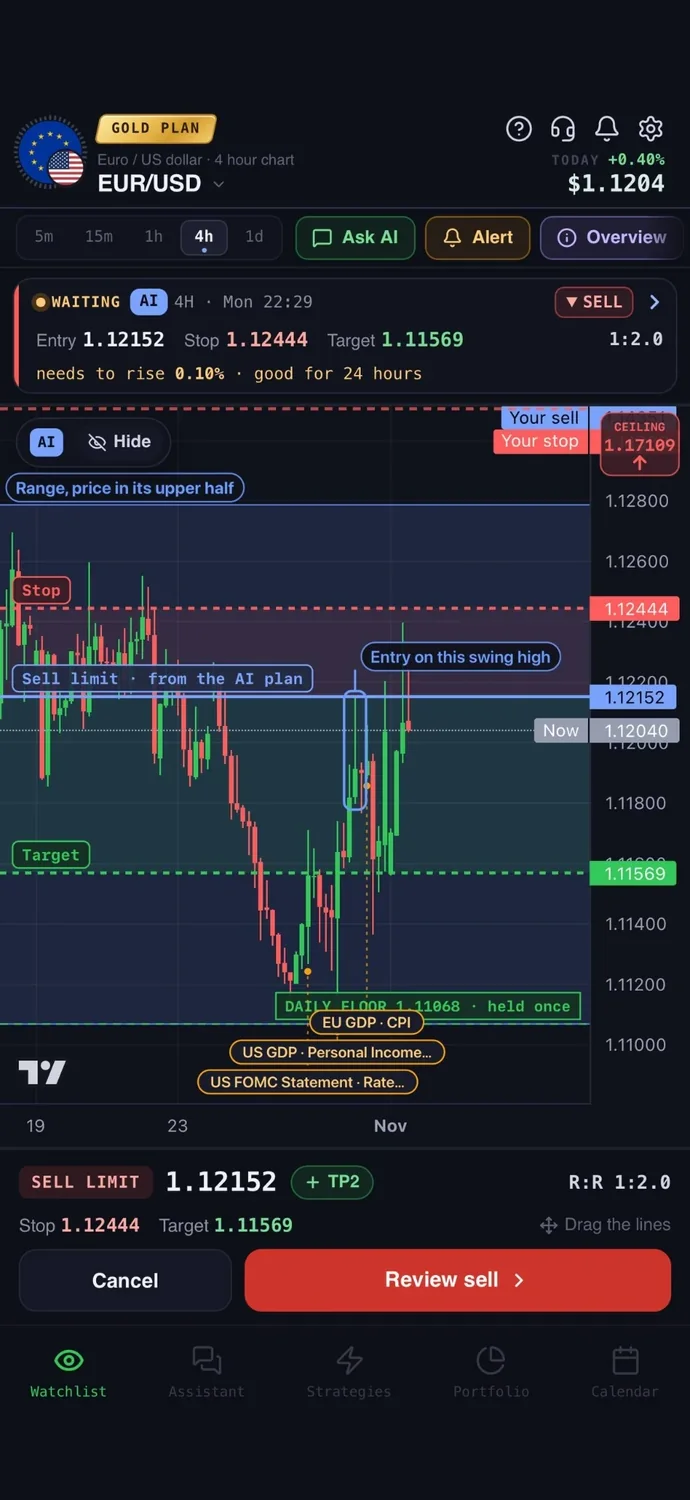
Gold moves fast and reacts to news, so a gold trade needs three numbers before you click: where you get in, where you are wrong, and where you take profit. Many apps now promise AI help with exactly that. They are not the same kind of tool: some read a screenshot of your chart, some send signals, some are charting platforms with AI added, and a few can place the trade with your broker. So the best AI app for gold trading depends on which of those jobs you need done.
This guide compares eight of them on the same checks. We make AiTradely, so it is on this list. Everything about the other apps comes from their own websites and store pages, checked on 3 November 2026. Prices and features change, so check the app before you pay.
How we compared them
Every app was checked against the same questions:
- Gold levels: does it give an entry, a stop and a target, and say why?
- Live data: does it read the current market, or only a picture you upload?
- When it is wrong: does it say what would cancel the idea, or tell you to wait?
- Alerts: can it tell you when a setup is live?
- Testing: can you test an idea on past prices before you risk money?
- Placing the trade: can it send the order to your broker, with you confirming it?
- Platforms and price.
Some apps publish performance figures. We did not use them: results shown by a seller are not a guarantee, and we could not check them.
At a glance
| App | Best for | Entry, stop, target | Alerts | Test on history | Places trades | Platforms |
|---|---|---|---|---|---|---|
| AiTradely | A full plan from live data, then trading from the app | Yes, with the reason and what cancels it | Push and Telegram | Yes, no code | For cTrader, and for MetaTrader 5 on the Gold plan | iPhone, Android, web |
| Wick | A second opinion on a chart screenshot | Yes, full plan on Pro | No | No | No | iPhone, Mac |
| TradingView | Charting, with AI as an add-on | You draw them; the AI Copilot add-on draws levels | Yes | Yes, with Pine Script | Through its integrated brokers | Web, desktop, iPhone, Android |
| Spirex AI | Graded setups, Arabic first | Yes, graded A, B or C | In the app and on Telegram | No | No | Android, web |
| XAUUSD - Gold Trading AI | Gold-only setups on iPhone, with paper trading | Yes, three targets | Push | Paper trading only | No | iPhone, Mac |
| Exunu | One intraday gold setup at a time | Yes, or "No Trade" | Not stated | Signal history | No | Web |
| XAU Pulse | An alert when a gold setup appears | Yes, as reference levels | Push and email | No | No | Web |
| CPROAI | Gold signals with an invalidation rule | Yes, two targets | Telegram | No | No | Web |
1. AiTradely: a full gold plan from live data
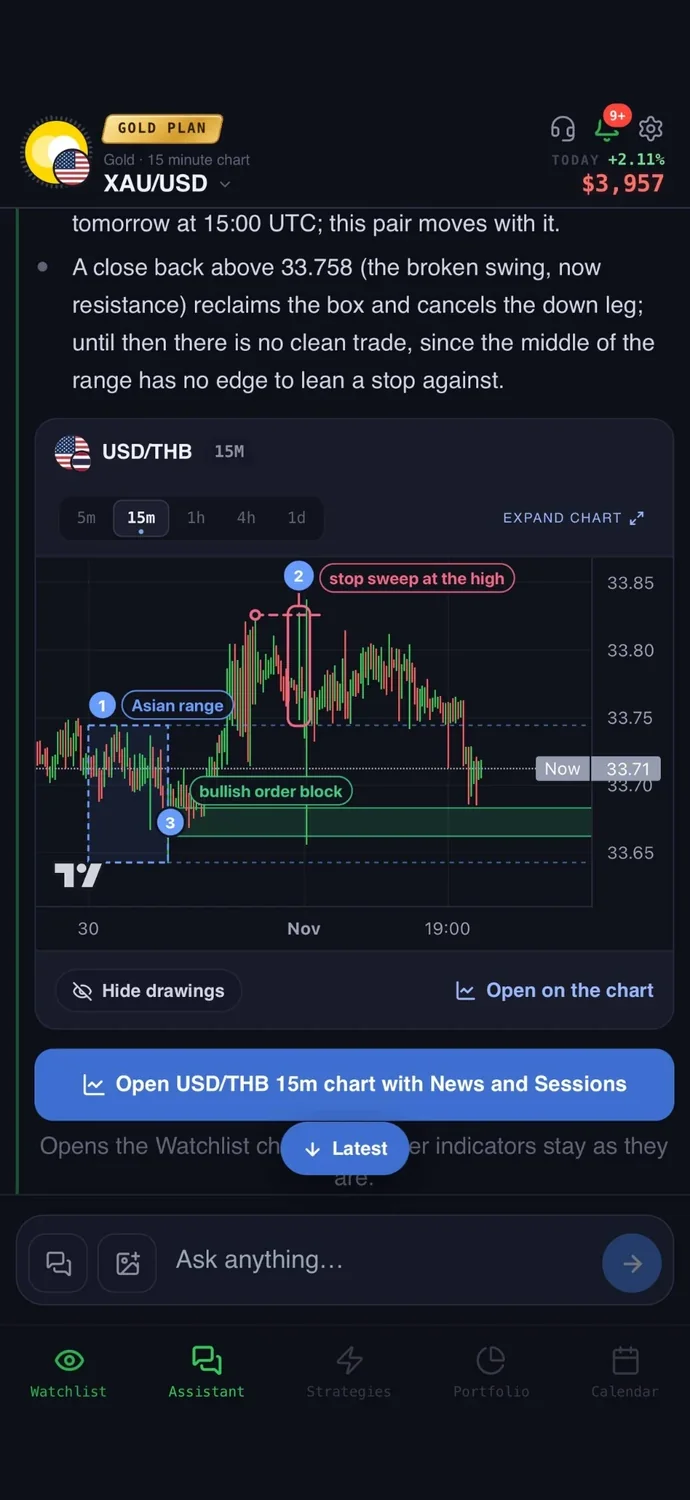
What it is: an AI trading assistant on iPhone, Android and the web. You ask about gold in your own words, and it reads live prices, indicators, today's news and the economic calendar before it answers.
For gold: a trade plan with an entry, a stop loss, a take profit, the risk to reward and what would cancel the idea, with the key levels drawn on the chart. A strategy builder lets you describe a rule in words, test it on real price history, and get a push and a Telegram message when it triggers. You can connect a broker account and place the order from the app: for cTrader on the Trader and Gold plans, and for MetaTrader 5 on the Gold plan. You confirm every order, and your money stays with your broker.
Price: your first questions and your first trade plan are on us; after that, the paid Trader and Gold plans are priced by country (see the pricing page).
Keep in mind: it is an analysis tool, not a robot, and it never places a trade without your confirmation. It covers crypto, forex, stocks and other commodities as well as gold, so it is not built for gold alone.
2. Wick: chart screenshot analysis on iPhone
What it is: an iPhone app, also on Mac with Apple silicon, that reads a screenshot of your chart.
For gold: the trend, key levels, bullish and bearish scenarios with probabilities, and a plan with entry, stop and target on the Pro plan. Wick also publishes its own guide to gold apps.
Price: the first analysis is free; Pro is listed at $8.99 a week or $9.99 a month on the US App Store.
Keep in mind: it reads the picture you give it, so the analysis is only as current as your screenshot. No alerts, no backtesting and no broker connection, and no Android app.
3. TradingView: charts first, AI as an add-on
What it is: the charting platform many traders already use, on the web, desktop, iPhone and Android.
For gold: full charts and indicators, alerts, paper trading, a strategy tester with its Pine Script language, and trading through integrated brokers. In October 2026 it announced AI Copilot, a paid add-on for paid plans on the web and desktop that draws levels, sets alerts, writes Pine Script and runs backtests.
Price: Basic is free, and paid plans start at $12.95 a month billed yearly. The Copilot add-on's price was not shown when we checked.
Keep in mind: without the add-on you find and draw the levels yourself, and Copilot was not on the mobile apps yet. We compare the two side by side in AiTradely vs TradingView.
4. Spirex AI: graded setups, Arabic first
What it is: an AI analyst built for Arabic-speaking traders, on Android and the web.
For gold: an entry, a stop, targets and the reasons, graded A, B or C, and it can tell you to wait. It rechecks the market every 5 minutes and alerts you in the app and on Telegram. It can also read chart screenshots.
Price: a free tier with 3 readings; the Trader plan is $39 a month.
Keep in mind: it does not place trades, and there is no iPhone app (the iPhone button opens the web login).
5. XAUUSD - Gold Trading AI: gold only, on iPhone
What it is: an iPhone app by AI NATION INC. that applies AI vision to live gold charts.
For gold: the direction, an entry zone, a stop, three targets and a confidence score, with push alerts and paper trading to practise on.
Price: free with ads; Pro is $3.99 a week, $8.99 a month or $69.99 a year on the US App Store.
Keep in mind: it does not connect to a broker, as it says itself, and it has very few ratings so far.
6. Exunu: one intraday setup, or "No Trade"
What it is: a web tool for gold and EUR/USD only, on intraday timeframes.
For gold: one setup per run with the direction, entry, stop, target and risk to reward, with its reasoning, or "No Trade" when nothing qualifies. It keeps your signal history.
Price: you can sign up without paying; PRO is $49 for 30 days or $119 for 90 days, and it does not renew on its own.
Keep in mind: two markets only, no apps listed and no trade execution. The site does not name the company behind it.
7. XAU Pulse: setup alerts for gold
What it is: a web "setup detector" for gold that you can add to your iPhone home screen to get push alerts.
For gold: a reference entry, stop and target, commentary, an AI assistant, and alerts by email and push.
Price: $9.99 a month after a 3-day trial that needs a card, or $99.99 a year.
Keep in mind: it does not place trades. It states that its examples are not evidence of returns, which is the honest way to show them.
8. CPROAI: gold signals with an invalidation rule
What it is: a mobile-first web app for gold only.
For gold: signals on the 15-minute, 1-hour, 4-hour and daily charts with an entry zone, a stop, two targets and the rule that would cancel the setup, plus an AI chat and Telegram alerts.
Price: a free tier; Premium is free if you register with their partner broker through their link and submit your account number.
Keep in mind: the site does not name the partner broker, and it shows performance figures we could not check. It does not place trades.
What about gold robots and signal channels?
Beyond apps like these, there are trading robots (expert advisors) that trade gold on their own inside a trading platform, and paid signal channels. Before you trust one, check four things:
- A track record someone else verified, not screenshots of an account.
- A stop on every trade. Avoid systems that average down or keep adding to a losing position, often called grid or martingale.
- Never hand over your trading password to a service you cannot verify.
- Check the broker yourself. Whatever an app recommends, the broker should be regulated where you live.
How to choose the best AI app for gold trading
- You want a plan from live data and the option to place the trade from the same app: AiTradely.
- You already chart on your phone and want a second opinion on a screenshot: Wick.
- You live in your charts on a computer and want AI inside them: TradingView with AI Copilot.
- You prefer Arabic, or want graded setups with Telegram alerts: Spirex AI.
- You want gold-only setups on iPhone and to practise with paper trading first: XAUUSD - Gold Trading AI.
- You trade gold intraday and like being told "No Trade": Exunu.
- You only want an alert when a gold setup appears: XAU Pulse.
Common questions
01Can AI predict the price of gold?
No. These apps read current conditions and turn them into a plan with levels. Gold still reacts to news and can move through a stop, so the stop and the position size matter more than the app you pick.
02Is there a free AI app for gold trading?
Most let you try before paying: AiTradely's first questions and first trade plan, Wick's first analysis, Spirex AI's 3 readings, the XAUUSD app with ads, Exunu's basic account, CPROAI's free tier and TradingView Basic. These are limited, so check what is included.
03Which AI gold apps can place a trade?
On this list, AiTradely (for cTrader, and for MetaTrader 5 on the Gold plan, with you confirming every order) and TradingView (through its integrated brokers). With the others you place the trade yourself.
04Do I still need a stop loss if the AI gives me one?
Yes. Use the plan's stop or a wider one that fits your risk, and size the position so that being stopped out costs an amount you accept.
How to get a gold trade plan in AiTradely
- Ask in your own words, for example "give me a trade plan on gold" or "is gold still in an uptrend?".
- Read the plan: the entry, stop loss, take profit, risk to reward and what would cancel it, with the levels drawn on the chart.
- Check the economic calendar for the next high-impact release, such as US CPI, NFP or a Fed decision, before you act.
- Size the trade from the stop with the position size calculator, so one loss stays small.
- Then choose: set an alert, build the idea as a strategy and test it on history, or send the order to your broker and confirm it yourself.
Nothing here is financial advice. Gold is volatile, and price can gap through a stop on news, causing losses larger than planned. App details were checked on 3 November 2026 and may have changed since.
 AiTradelyYour AI trading analyst, in your pocketAI analysis for gold, forex and stocks. Build and backtest strategies, get signals, and trade from your own broker account.
 On your phoneScan for the app