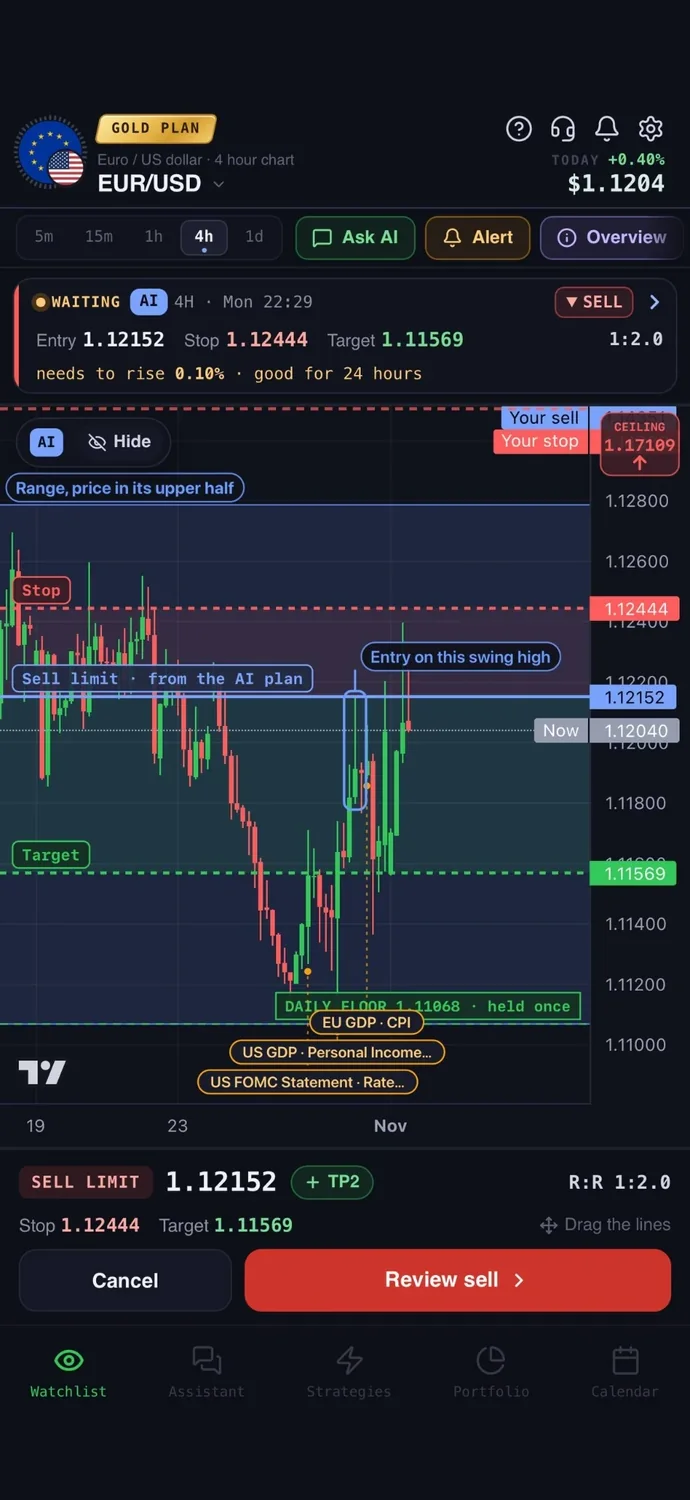

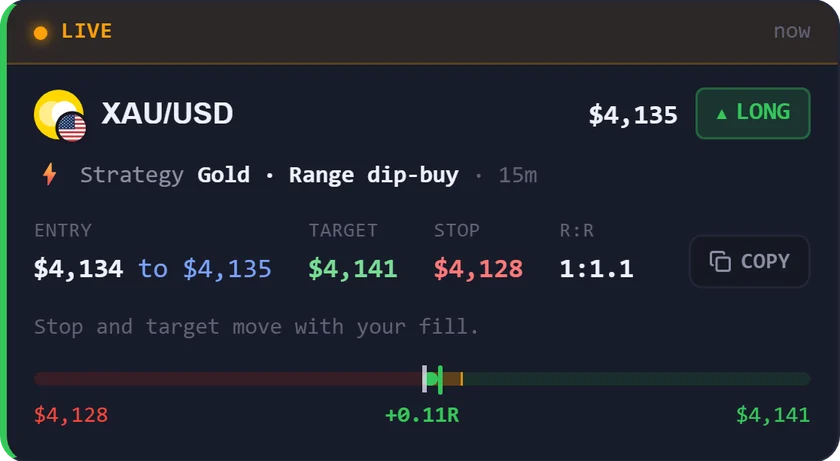
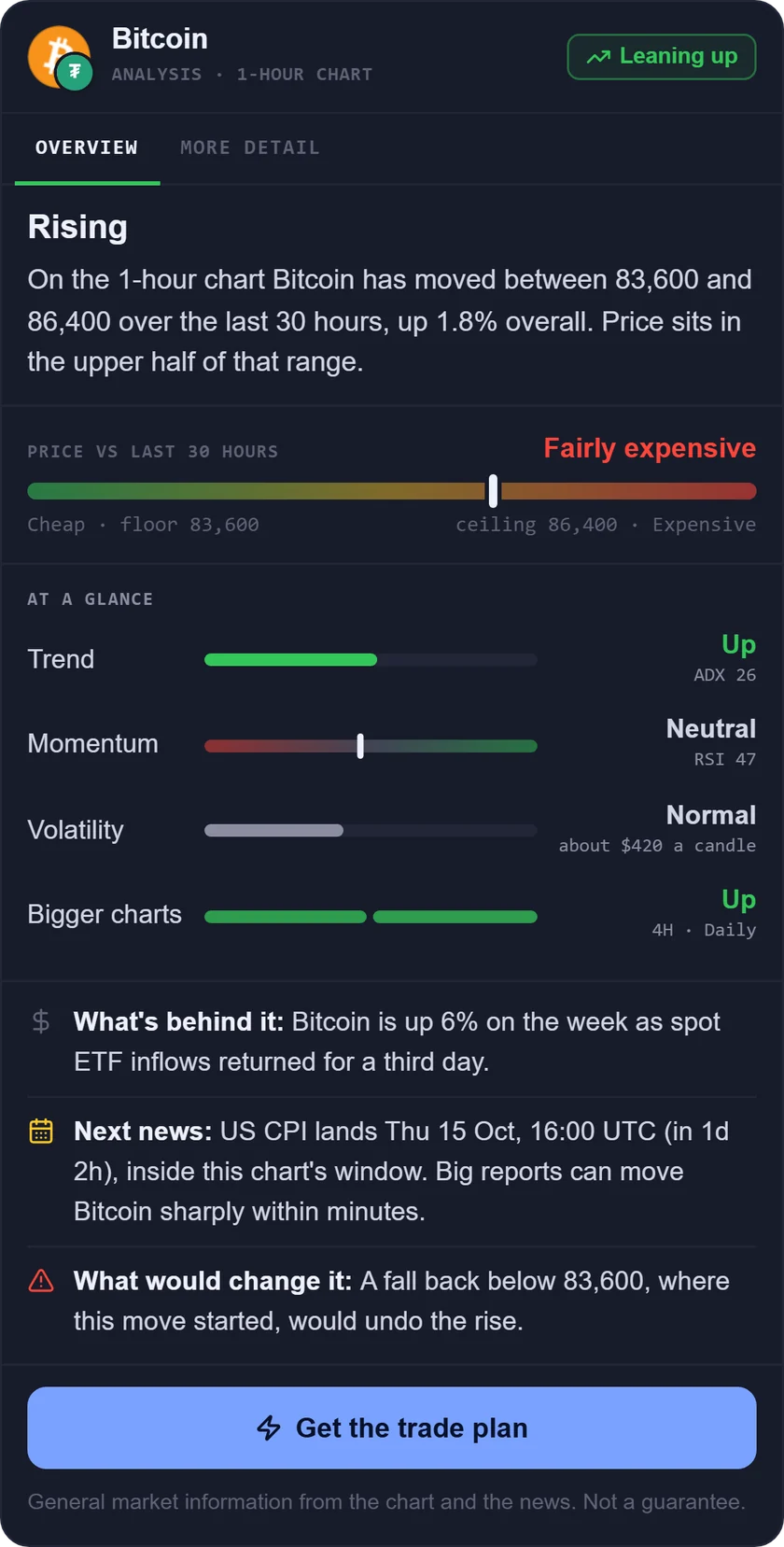
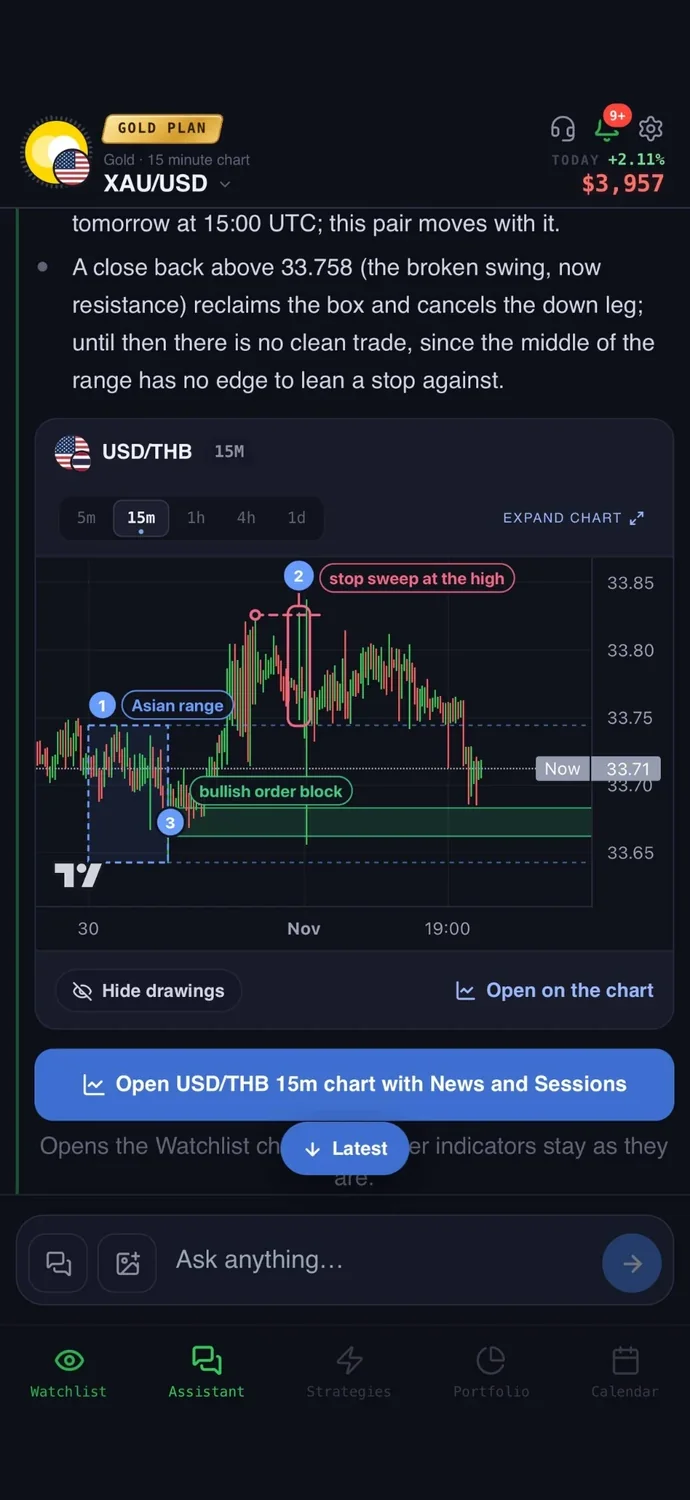
The best trading apps for beginners are the ones that teach you and let you practise with fake money, so this list does not rank brokers. A broker is the company that holds your money and executes your orders. Your first job is to learn and to practise before you risk real money, so we compared 7 apps for that. Picking a broker comes later, and when it does, check that yours is regulated where you live.
The best trading apps for beginners at a glance
We compared 7 apps on the same checks. We make AiTradely, so it is on this list.
| App | Teaches you | Practice with fake money | Alerts | Places trades | Price |
|---|---|---|---|---|---|
| AiTradelyLearning on live markets with plain answers | 12-lesson course, plain answers | Yes, $10,000 demo | Yes, from strategies you build | Only when you confirm | First questions and first trade plan on us, then paid plans |
| BabypipsLearning forex basics from scratch | Structured forex courses | Not stated | Not stated | Not stated | Free tier; Premium $29/month or $17/month billed $204 a year |
| TradingViewPractising on real charts | Practice and Bar Replay, no course | Yes, Paper Trading | Yes, 3 active price alerts on the $0 plan | Paper trades, or real trades through connected brokers | $0 plan; paid from $12.95/month billed yearly |
| Wall Street SurvivorPractising stock picking | Mini-courses | Yes, $100,000 virtual cash | Not stated | Virtual trades | $0 to use |
| MetaTrader 5Learning a platform many brokers offer | Not stated | Yes, demo account | Yes | Through a broker | $0 iPhone app |
| cTraderPractising on a demo before going live | Not stated | Yes, demo account | Yes | Through a broker | $0 iPhone app |
| Investing.comFollowing markets and news | Not stated | Not stated | Yes | No | $0 app; Pro from $18.95/month |
Everything about the other apps comes from their own websites and store pages, checked on 5 November 2026. Prices and features change, so check the app before you pay.
How we compared them
We asked the same questions of every app:
- Does it teach you something, or does it assume you already know?
- Can you practise with fake money, and does it say so?
- Can it alert you when a price or event happens?
- Does it place trades, and if so, how?
- What does it cost, and per what?
1. AiTradely: an AI assistant plus a course and a demo
What it is: an AI trading assistant on iPhone, Android and the web. You ask about a market in your own words, and it reads live prices, indicators, today's news and the economic calendar before it answers.
For beginners: you can ask anything in your own words and get a plain answer from live data, so you learn on real markets. A trading course in 12 lessons teaches candles, trend, support and resistance, risk in dollars and more. A demo account gives you $10,000 of practice money at live prices, and nothing reaches a broker. When you are ready, it writes a trade plan with an entry, a stop loss and a take profit, and you decide.
Price: your first questions and your first trade plan are on us; after that, the paid Trader and Gold plans are priced by country (see the pricing page).
Keep in mind: it is an analysis tool, not a robot, and it never places a trade without your confirmation. It explains and plans, and you still need a broker account to trade live.
2. Babypips: forex lessons on the web
What it is: the School of Pipsology, an online course that helps beginners learn how to trade forex. It has 11 courses named like school years, from Preschool to Elementary and beyond, with a progress tracker when you sign in.
For beginners: it starts from zero and uses quizzes. The free tier includes the economic calendar, trading tools and forums. Use it on the web.
Price: Premium is $29 per month, or $17 per month billed $204 a year.
Keep in mind: part of the School needs Premium, and fake-money practice is not stated. The site carries partner advertising.
3. TradingView: real charts and Paper Trading
What it is: a charting platform with a built-in paper trading simulator, on the web and in its apps.
For beginners: Paper Trading uses simulated money and needs no card. Bar Replay replays past price action, which lets you practise reading a chart without waiting for the market. It is not a course. For a closer look, see AiTradely vs TradingView.
Price: the Basic plan is $0 with no credit card. Paid plans start at $12.95 per month, billed annually.
Keep in mind: the chart screen carries many tools, which can overwhelm a newcomer, and the $0 plan allows 2 indicators per chart.
4. Wall Street Survivor: a stock simulator with mini-courses
What it is: a stock market simulator with mini-courses, used on the web.
For beginners: you get $100,000 of virtual cash and can study while you trade. Its FAQ explains going long or short, the bid and ask price, and order types. No subscription fee or credit card is required.
Price: $0 to use. Paid options are not stated.
Keep in mind: it centres on stocks, so it will not help if you want to learn forex.
5. MetaTrader 5: practise on a demo once you know the basics
What it is: a trading platform that connects through a broker, on Windows, Mac, iPhone, Android and the web.
For beginners: it has no lessons, so it suits practising once you know the basics. You open a demo account and place demo trades with fake money. It also has sound and push alerts.
Price: the iPhone app is $0. The platform price is not shown on the site.
Keep in mind: it is built for active traders, and live trading needs a broker account.
6. cTrader: practise on a demo before going live
What it is: a forex and CFD trading platform on the web, Windows, Mac, iOS and Android. A CFD is a contract that tracks a price without you owning the asset.
For beginners: it has no lessons, so it is for practising once you know the basics. You create a demo account in the app and virtual funds are deposited. You choose the amount, and it cannot be withdrawn. The download page recommends a demo before trading live.
Price: the iPhone app is $0. The platform price is not shown.
Keep in mind: a live account needs a broker, and it is built for active traders.
7. Investing.com: markets and news in one place
What it is: a market data, news and economic calendar site and app, on the web, iPhone and iPad, with an Android download linked on the site.
For beginners: it is for following markets and news, and it has price, economic event and news alerts. Creating alerts needs a sign-in. It has no lessons and no practice mode stated.
Price: the app is $0. In-app Pro Monthly is $18.95 and Pro Yearly is $229.00.
Keep in mind: it does not place trades and has no practice trading stated.
How to choose the best trading apps for beginners
- You want to ask questions on live markets and follow a course: AiTradely.
- You want to learn forex lesson by lesson on the web: Babypips.
- You want to practise on real charts and replay past moves: TradingView.
- You want to practise picking stocks with virtual money: Wall Street Survivor.
- You want to learn the platform many brokers offer: MetaTrader 5.
- You want to practise on a demo before going live: cTrader.
- You want to follow markets and news in one place: Investing.com.
More comparisons: the best AI trading apps, the best AI apps for gold trading, TradingView alternatives, ChatGPT for trading vs AI apps, the best forex trading apps, the best crypto trading apps, the best gold trading apps, the best AI for stock trading, the best trading journal apps, AI trading bots vs assistants and backtesting without coding.
Common questions
01Do I need real money to start?
No. Every practice option here uses fake money, so you can learn first. Babypips and Investing.com do not state a practice mode, so use them for lessons and news.
02What is the best stock trading app for beginners?
Of these, Wall Street Survivor is the stock-focused simulator, with $100,000 of virtual cash and mini-courses. TradingView Paper Trading also supports stocks.
03What is the best forex trading app for beginners?
For lessons, Babypips teaches forex on the web. For practice, a demo account on MetaTrader 5 or cTrader works once you know the basics. Read how to start forex trading for the steps in order.
04Is there a day trading app for beginners?
Day trading means opening and closing trades within one day. TradingView Paper Trading and the demo accounts let you practise it with fake money. AiTradely writes a trade plan with an entry, a stop loss and a take profit, and you decide.
How to start learning in AiTradely
- Open the AI assistant and ask about a market you care about, in your own words. Ask it to explain anything you do not understand.
- Work through the 12-lesson course, starting with candles, trend and risk. Pair it with candlestick patterns and support and resistance zones.
- Open the demo account with $10,000 of practice money and place practice trades at live prices.
- Ask for a trade plan and read the entry, stop loss and take profit. Check the size of the loss in dollars before you decide anything.
If you keep going, the course and the demo account are the natural next steps: lessons to build the vocabulary, practice trades to test it. Ask the assistant to explain each plan it writes, then decide for yourself whether you would have taken it.
Nothing here is financial advice. Practice money teaches the mechanics, but it does not carry the pressure of real losses, so real trading can feel very different.
 AiTradelyYour AI trading analyst, in your pocketAI analysis for gold, forex and stocks. Build and backtest strategies, get signals, and trade from your own broker account.
 On your phoneScan for the app