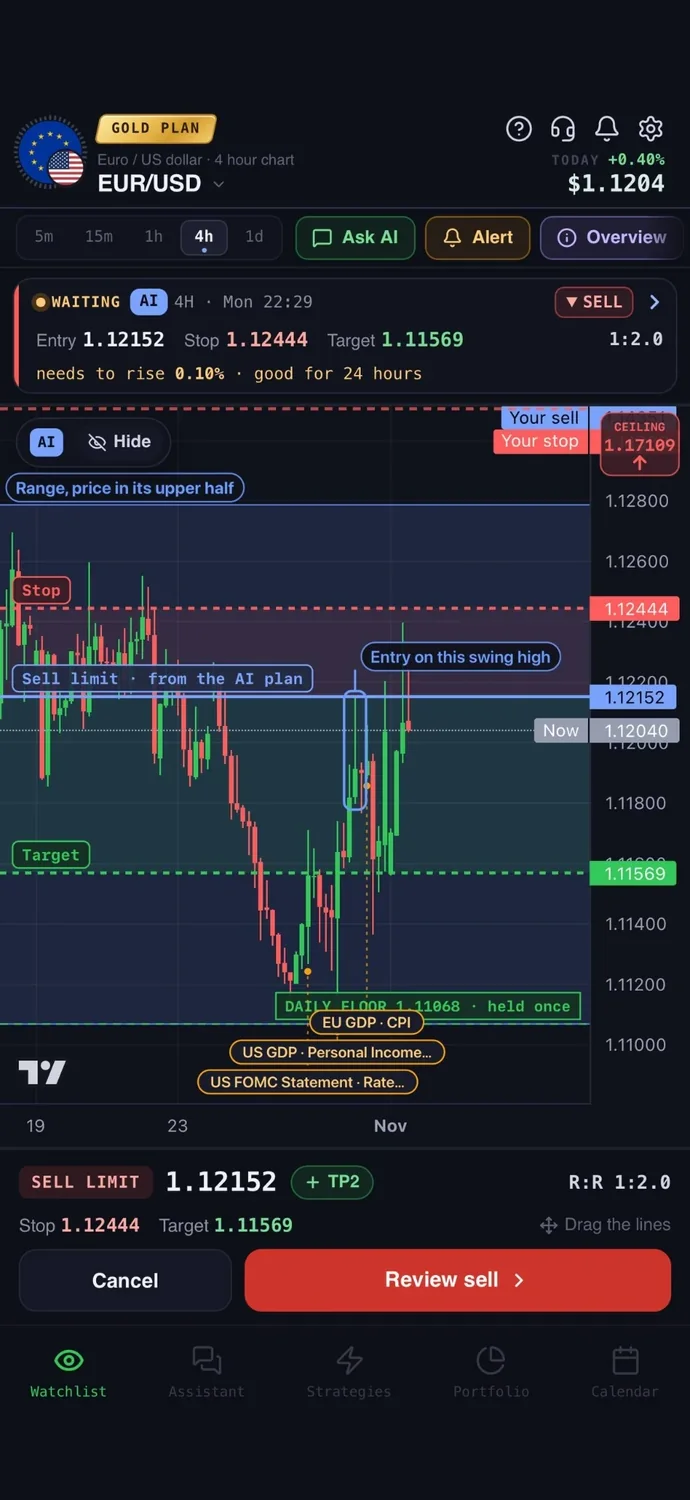
The best AI trading apps are not one kind of product, so the right pick depends on what you need the AI to do. Some analyse a market and plan a trade, some scan or score stocks, one reads a screenshot of your chart, and some run bots that place orders on their own. Below, 8 apps are compared on the same checks, so you can find the best AI for trading that matches your style, whether you want an AI trading app for ideas or an AI trading bot for automation.
The best AI trading apps at a glance
We compared 8 apps on the same checks. We make AiTradely, so it is on this list.
| App | Best for | Markets | Entry, stop, target | Alerts | Test on history | Places trades | Starting price |
|---|---|---|---|---|---|---|---|
| AiTradely | Trade plans from a plain question | Crypto, forex, gold and commodities, stocks | Yes | Push and Telegram | Yes | Yes, you confirm each order | Paid plans priced by country |
| TrendSpider | Chart-heavy traders who want no-code automation | US stocks and ETFs, futures and more | Not stated as a feature | Cloud alerts | Yes | Yes, via supported brokers | About $33 a month in the first period, then higher |
| Trade Ideas | Active US stock day traders who scan | US stocks | Entry and stop (Premium) | Real-time | Premium only | Yes, via supported brokers | $127 a month (Standard) |
| TradingView with AI Copilot | Charting with optional AI help | Stocks, forex, crypto, futures and more | You draw your own | Yes | Yes | Yes, via supported brokers | $0 Basic; paid from $12.95 a month, billed yearly |
| Tickeron | US stock and ETF pattern and idea seekers | US stocks and ETFs, plus a crypto section | Entry, exit and target prices | Daily Buy/Sell alerts | Pattern Search Engine | Not clearly stated | Priced per tool |
| Danelfin | Ranking stocks with an AI score | US and European stocks, US-listed ETFs | Not stated | Daily score alerts | Not stated | Not stated that it places trades; Plus syncs holdings read-only with supported brokers | $0 tier; Plus $29 a month |
| Wick | A quick second opinion on a chart screenshot | Not stated | Yes, in the full report (Pro) | Not stated | Not stated | No | $8.99 per week |
| 3Commas | Automated crypto bots | Crypto | You set them | TradingView and webhook triggers | Yes | Yes, bots on your exchange | From $15 a month, billed yearly |
Everything about the other apps comes from their own websites and store pages, checked on 5 November 2026. Prices and features change, so check the app before you pay.
How we compared them
Every app got the same questions:
- Does it give an entry, a stop and a target, or only a direction or a score?
- Can you set alerts, and what triggers them?
- Can you test an idea on past prices before using it?
- Can it place trades, and who decides?
- What does it cost, and per what period?
1. AiTradely: AI analysis and trade plans
What it is: an AI trading assistant on iPhone, Android and the web. You ask about a market in your own words, and it reads live prices, indicators, today's news and the economic calendar before it answers.
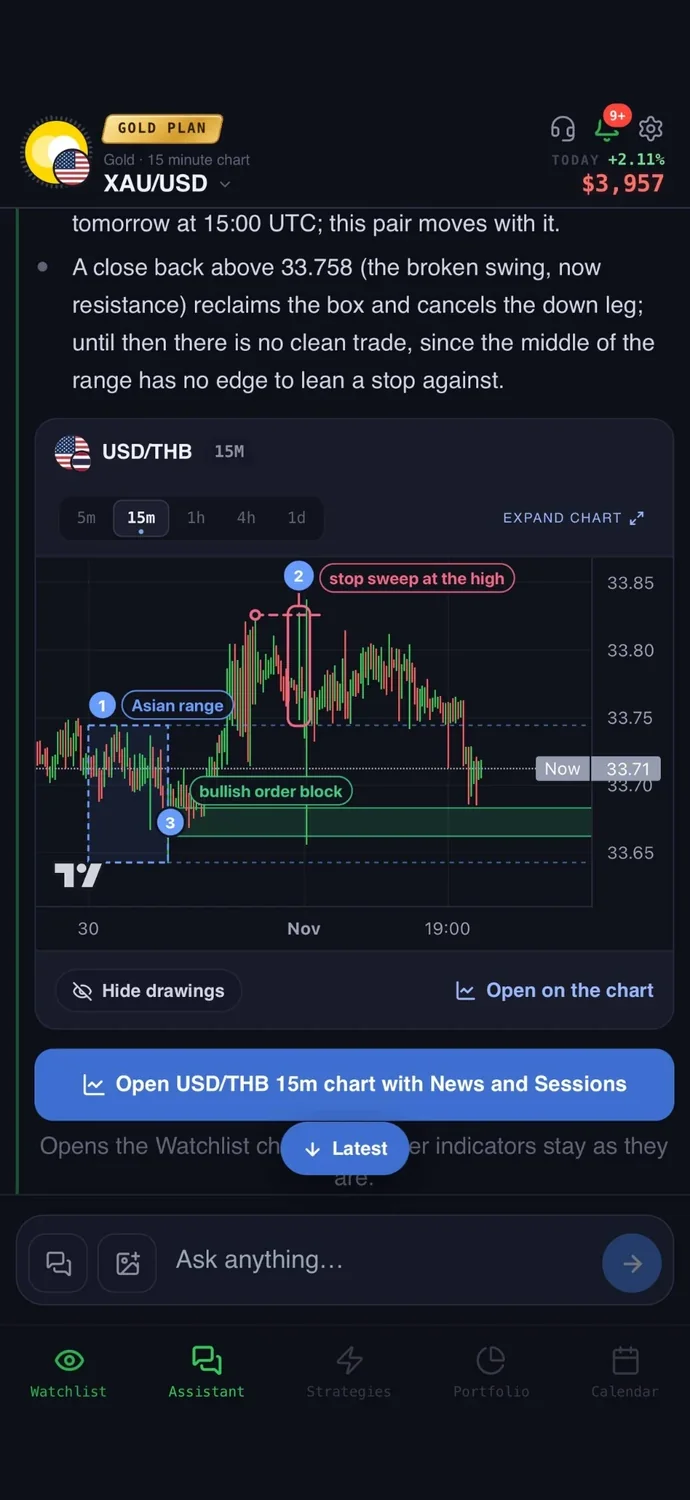
For trading: a trade plan with an entry, a stop loss, a take profit, the risk to reward and what would cancel the idea, with the key levels drawn on the chart. A strategy builder lets you describe a rule in words, test it on real price history, and get a push and a Telegram message when it triggers. You can connect a broker account and place the order from the app: for cTrader on the Trader and Gold plans, and for MetaTrader 5 on the Gold plan. You confirm every order, and your money stays with your broker.
Price: your first questions and your first trade plan are on us; after that, the paid Trader and Gold plans are priced by country (see the pricing page).
Keep in mind: it is an analysis tool, not a robot, and it never places a trade without your confirmation. It covers crypto, forex, gold and other commodities, and stocks.
For a metals focus, see best AI apps for gold trading.
2. TrendSpider: automated chart analysis
What it is: charting software with automated chart analysis, a no-code strategy tester, alerts and no-code bots. It runs on the web, desktop, iPhone and Android.
For trading: the strategy tester works on history, and trading is possible from inside the platform through supported brokers. An AI chatbot called Sidekick can access your charts. A ready entry, stop and target is not stated as a feature. See AiTradely vs TrendSpider.
Price: four plans. Prices shown start around $33 a month in the first period, then rise, and they vary with the billing period, so check its pricing page.
Keep in mind: no plan for the platform at $0, and it is a heavier, chart-first tool.
3. Trade Ideas: real-time scanning for US stocks
What it is: real-time stock scanning software for US-listed stocks, with an AI Assistant and Holly AI signals. It has a Windows app and a web dashboard.
For trading: Holly AI signals on Premium each include an entry and a stop. Premium also has backtesting on about 64 days of one-minute history, plus auto trading through connected brokers. Whether you confirm each trade is not stated. See AiTradely vs Trade Ideas.
Price: Standard is $127 a month, or $1,068 billed yearly. Premium is $254 a month, or $2,136 billed yearly. A $0 account gives a web dashboard with 15-minute delayed data.
Keep in mind: US stocks only, and no phone app yet.
4. TradingView with AI Copilot: charting first, AI as an add-on
What it is: a charting and analysis platform. AI Copilot is a paid assistant in the chart's side panel that works on your charts.
For trading: you draw your own entry, stop and target. Copilot can draw support and resistance levels and chart patterns, write Pine Script and create alerts. Orders go from the chart through connected brokers. See AiTradely vs TradingView.
Price: Basic is $0. Paid plans run from $12.95 to $199.95 a month with yearly billing. Copilot is an add-on on a paid plan; its price is shown at checkout.
Keep in mind: Copilot is on web and desktop only, not the mobile apps for now, and it has a monthly usage limit.
5. Tickeron: AI patterns and trading robots
What it is: AI pattern, trend-prediction and trading-robot tools for US stocks and ETFs, with a crypto section. It has iPhone, Android and web.
For trading: it lists entry and exit prices, breakout and target prices and confidence levels. Daily Buy/Sell Alerts are end-of-day ideas. Backtesting is stated for the Pattern Search Engine. Whether agents trade without your approval is not clearly stated. See AiTradely vs Tickeron.
Price: priced per tool, with no single price list on its site. Check the app.
Keep in mind: stop-loss levels are not mentioned on its homepage.
6. Danelfin: an AI score for stocks
What it is: an AI stock analytics platform that gives US stocks, European stocks and US-listed ETFs a 1 to 10 AI Score, with the signals behind it. It runs on web, iPhone and Android.
For trading: it ranks ideas rather than planning a trade. Pro lists Trading Parameters (Buy/Hold/Sell), though price levels are not stated. Daily alerts follow your holdings' score updates.
Price: a $0 tier exists. Plus is $29 a month, Pro $79 and Elite $179, billed monthly. Paid plans offer a 14-day trial.
Keep in mind: stocks and ETFs only, and its own notice says scores do not replace professional advice.
7. Wick: a chart screenshot read by AI
What it is: an iPhone app that reads a screenshot of a trading chart and returns a structured analysis.
For trading: the full report on Pro gives a signal, scenarios, key levels and an entry, stop and target. It is not a broker and does not place trades. Alerts and backtesting are not mentioned.
Price: the first chart scan comes at no cost. Pro is $8.99 per week or $29.99 every 6 months.
Keep in mind: it reads only the picture you upload, with no live feed, and its own words say results may be inaccurate or incomplete.
8. 3Commas: crypto bots on your own exchange
What it is: a crypto bot platform with DCA, grid and signal bots and a manual terminal, connected to your exchange accounts by API.
For trading: you set the entry, stop and target; Smart Trade adds trailing take profit and trailing stop loss. Bots trade on your exchange account once your conditions are met. Backtesting uses 1-minute candles, and its page says it cannot predict future performance.
Price: Starter is $15 a month with yearly billing ($20 billed monthly), Pro $38 ($50) and Expert $105 ($140). Each plan offers a trial, and all include a demo account.
Keep in mind: crypto only, and its AI features are described with little detail.
How to choose the best AI trading apps for you
- You want a plan with entry, stop and target across crypto, forex, gold and stocks: AiTradely.
- You live in charts and want no-code automation: TrendSpider.
- You day trade US stocks off live scans: Trade Ideas.
- You want a charting platform with AI as an add-on: TradingView.
- You want pattern and idea tools for US stocks and ETFs: Tickeron.
- You want a score to rank US and European stocks: Danelfin.
- You want a quick opinion on a screenshot: Wick.
- You want bots running on your own crypto exchange: 3Commas.
Common questions
01What is the best AI for trading?
There is no single answer, because the apps do different jobs: planning, scanning, scoring, reading screenshots or running bots. Start from the job you need done, then compare cost and markets.
02What is the best AI trading bot?
3Commas is the bot platform here: it runs bots on your own exchange account. AiTradely is not a bot, and it never places a trade without your confirmation.
03What is the best AI for stock trading?
For US stocks, Trade Ideas scans in real time, Danelfin scores US and European stocks and Tickeron focuses on patterns for US stocks and ETFs. AiTradely also covers stocks and builds a trade plan.
04Can an AI trading app trade for me?
Some can: 3Commas bots trade on your exchange once your conditions are met. With AiTradely you place and confirm every order yourself.
How to get a trade plan in AiTradely
- Open the app and ask about an asset in your own words, for example whether a setup on gold looks worth watching.
- Read the plan: entry, stop, target and what would cancel it.
- Check the risk reward ratio and size the position with the position size calculator.
- If you want a repeatable rule, describe it in the strategy builder, test it on history and set an alert.
- If you connect a cTrader or MetaTrader 5 account, place the order from the app and confirm it yourself.
The next step after this comparison is to ask the assistant about one asset you already follow and read the plan it builds, with the levels on the chart. Then set the same idea up in the strategy builder, so you can see how it would have played out on past prices before an alert ever fires.
Nothing here is financial advice. An AI plan or score is only a view of the market, and any trade based on it can still lose money.
 AiTradelyYour AI trading analyst, in your pocketAI analysis for gold, forex and stocks. Build and backtest strategies, get signals, and trade from your own broker account.
 On your phoneScan for the app