
The best AI apps for cTrader fall into three groups, and the right one depends on what you want the AI to do. Some AI for cTrader lives inside the platform: cBots and plugins from the cTrader Store, plus cTrader's own AI connection for assistants. Others write cBot code for you. A third kind connects to your cTrader account from outside, on your phone or the web. Remember that cTrader is a platform you use through a broker, and the broker is a separate choice. A cTrader AI bot, for example, is usually a cBot that follows its own rules once you start it.
The best AI apps for cTrader at a glance
We compared 7 apps on the same checks. We make AiTradely, so it is on this list.
| App | How it works with cTrader | What the AI does | Places trades | Starting price |
|---|---|---|---|---|
| AiTradelyAsking about markets from your phone or the web | Connects to your cTrader account with your cTrader ID, from outside | Reads live data and your positions, builds trade plans | Only after your confirmation | First questions and first plan at no cost, then paid plans priced by country |
| cTrader AI Agent ConnectTraders who already use an AI coding agent | You copy a configuration from cTrader into your own AI app | Your AI app reviews your account and prepares orders | Yes, after you confirm | "Free during beta" |
| ChatGPT to write a cBotDo-it-yourself cBot builders | Paste ChatGPT's code into the cTrader code editor | Writes cBot code from your prompt | The cBot trades by its own logic once you run it | Not stated |
| Xen AI (ClickAlgo)Building your own cBots and indicators | Plugin in cTrader Desktop, or a web app | Generates cBots, indicators and panels as code | Not stated | Plugin at no cost for personal use; AI credits sold |
| AI Trading Agent (TraderAi)Chatting with AI and trading in one window | Desktop plugin, you add your own API key | Analyses markets, explains ideas, manages trades | Not stated | "Ask seller" on the page, "from $9" in the list |
| AI Financial Assistant (DenM)Market chat, news and forecast markers | Plugin using the cTrader SDK | Chat, news, calendar analysis, forecasts | Yes, confirmation not stated | "Ask seller" |
| ChatGPT Plugin v1.0 (AISmart)Platform help and cBot debugging | Desktop plugin, then activate ChatGPT | Explains the platform, reads indicators, debugs cBots | Not stated | "Ask seller" on the page, $0 in the list |
Everything about the other apps comes from their own websites and store pages, checked on 9 November 2026. Prices and features change, so check the app before you pay.
How we compared them
We asked the same questions of every app:
- Does it run inside cTrader, or connect from outside?
- What does the AI actually do: write code, chat, analyse or prepare orders?
- Can it place trades, and does it need your confirmation first?
- What does it cost, and what is that price per?
- What is the one honest limit?
1. AiTradely: an AI assistant for your phone and the web
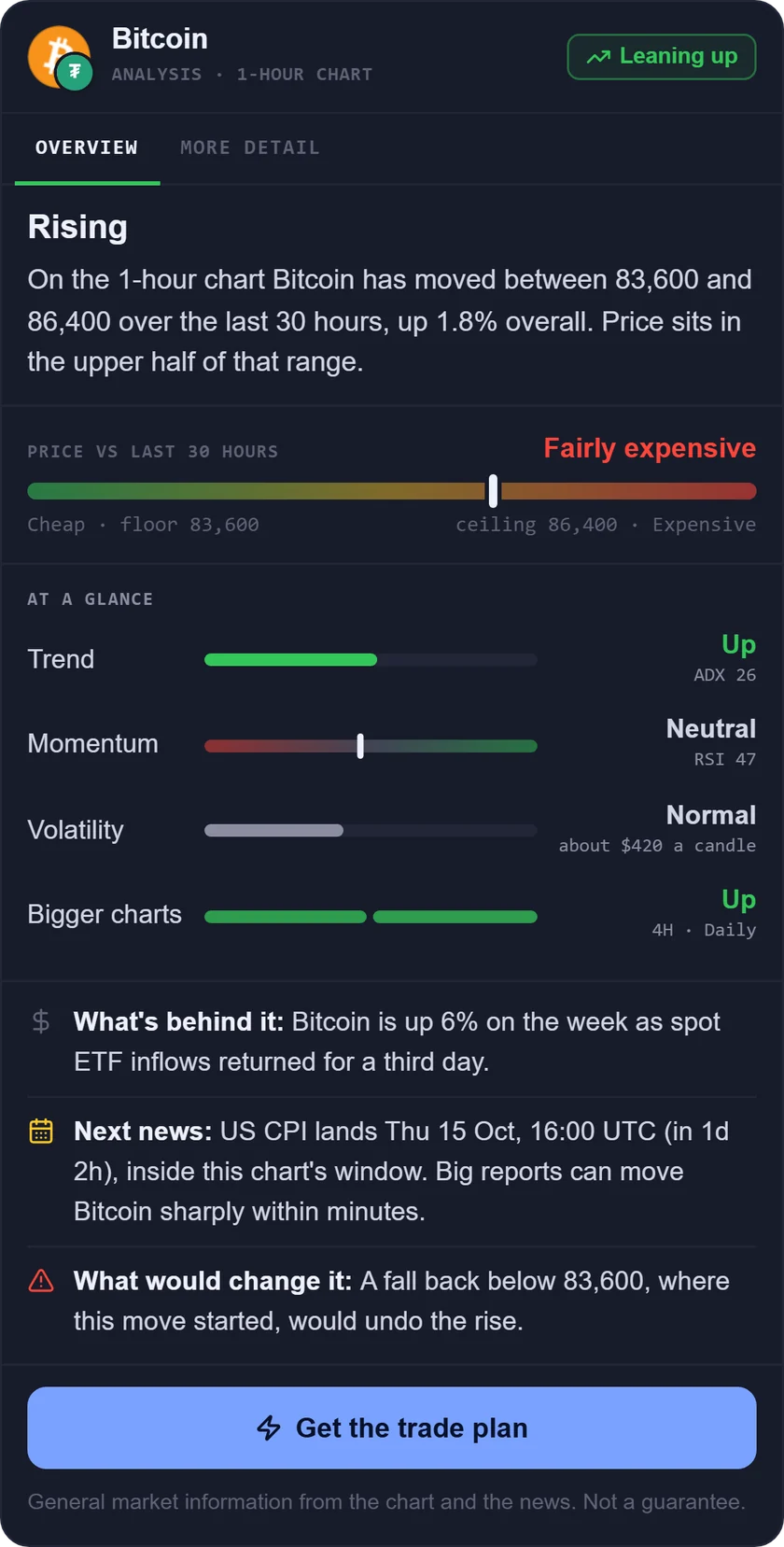
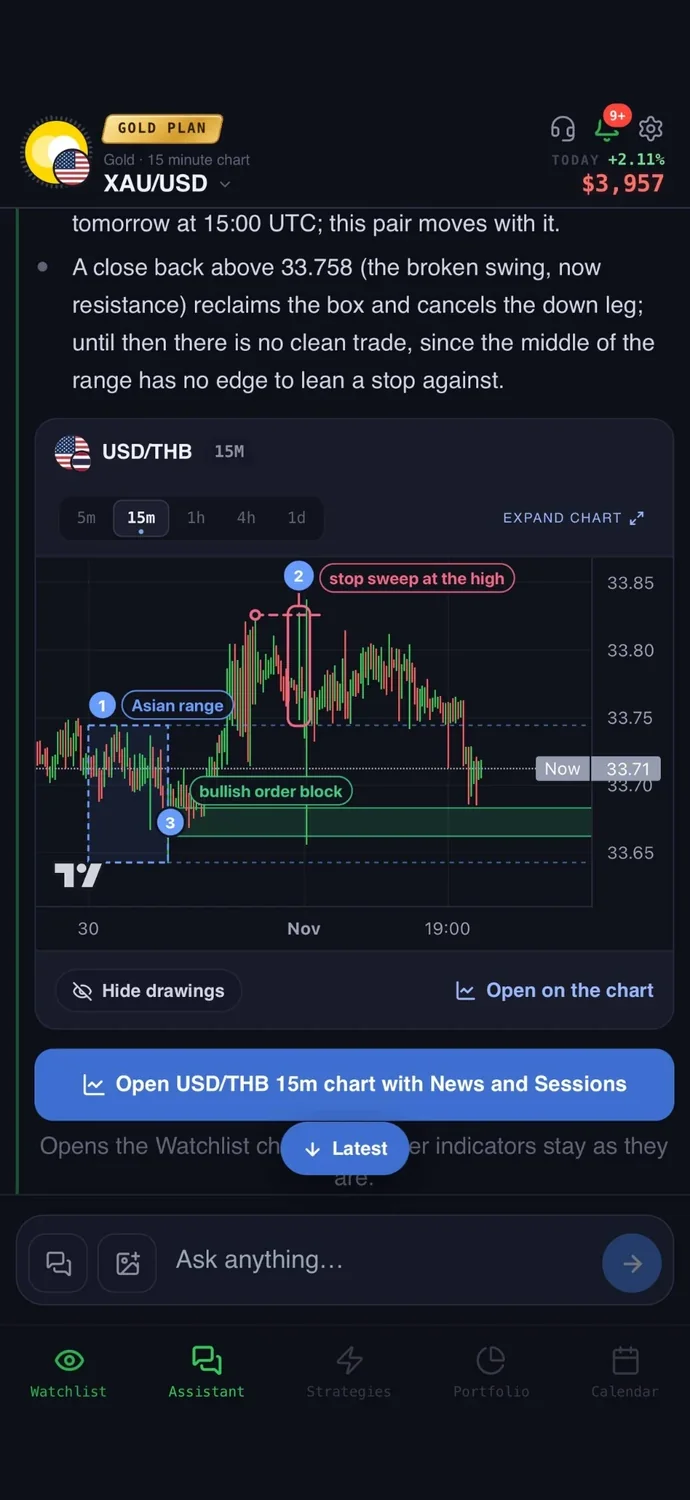
What it is: an AI trading assistant on iPhone, Android and the web. You ask about a market in your own words, and it reads live prices, indicators, today's news and the economic calendar before it answers.
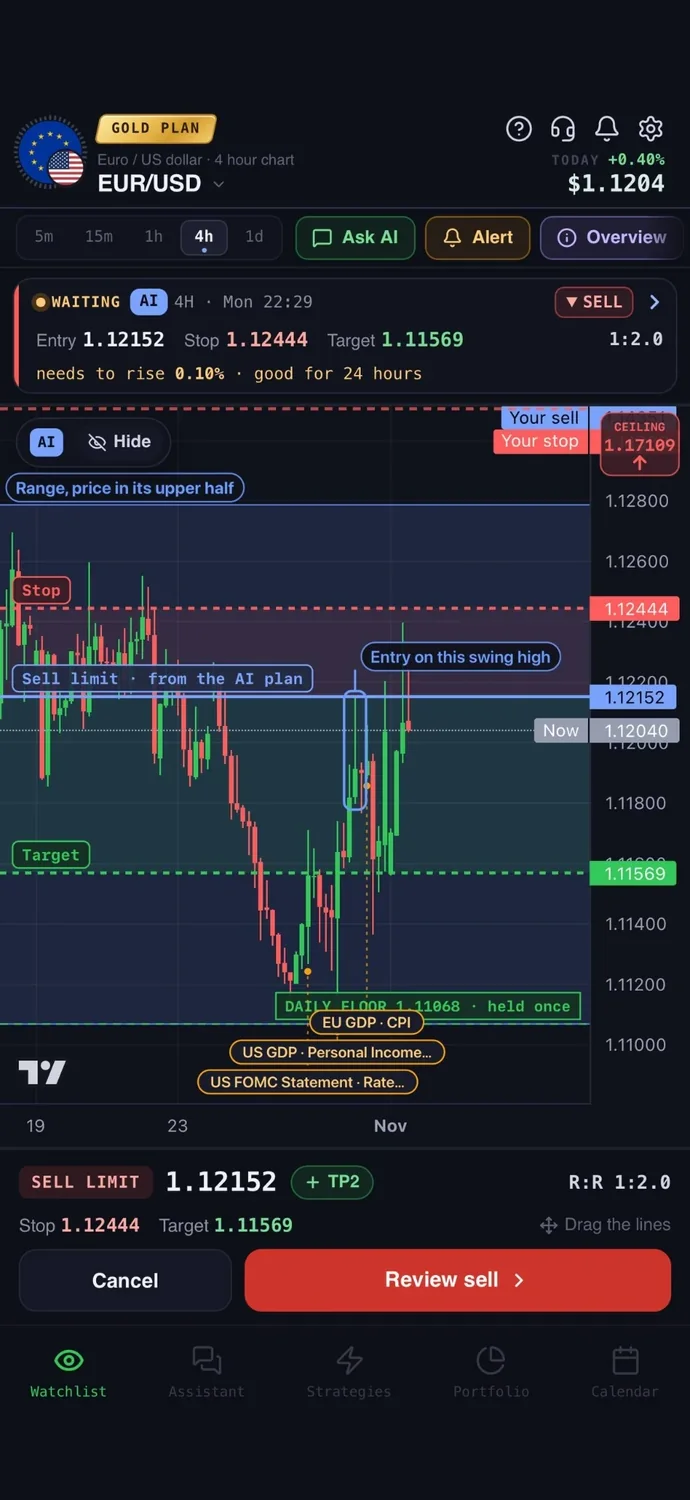
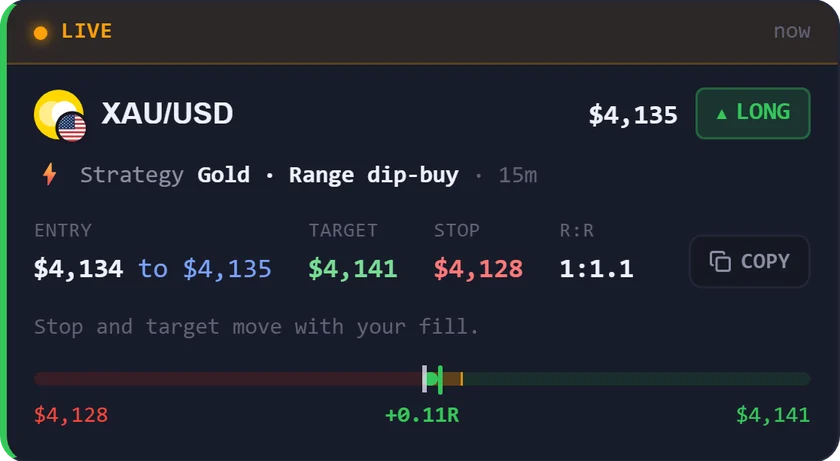
With cTrader: cBots follow rules you write or buy, and most AI add-ons live inside the cTrader Store. AiTradely works from your phone or the web instead: connect your cTrader account with your cTrader ID on the Trader or Gold plan, and the AI reads your open positions, fill prices, margin and live profit and loss along with live prices, indicators and the news. Each plan has an entry, a stop loss and a take profit; you set your risk in dollars, the lot size is calculated for you, and every order needs your confirmation. You can revoke the connection from your cTrader ID at any time.
Easy to start: sign in with Google or Apple and type your first question the way you would ask a friend who trades. There is no code to write and nothing to set up first.
Price: your first questions and your first trade plan are on us; after that, the paid Trader and Gold plans are priced by country (see the pricing page).
Keep in mind: it is not a cBot and does not run inside cTrader, so it does not trade while you are away; it sends an alert instead. It is an analysis tool, not a robot, and it never places a trade without your confirmation.
2. cTrader AI Agent Connect: official link to your own AI app
What it is: official cTrader servers (called MCP servers) from Spotware that connect compatible AI apps to your cTrader account and market data in plain language.
With cTrader: you copy the configuration from cTrader into your own AI app. Remote MCP works with cTrader Web, local MCP with cTrader on Windows or Mac. The page recommends starting on a demo account. It can place, amend and cancel orders and close positions, and the product page says you review each order before it executes.
Price: "Free during beta." What happens after the beta is not stated, and neither is the cost of your own AI app.
Keep in mind: the listed AI apps are developer tools such as Claude Code, Cursor and GitHub Copilot, not phone apps. The page warns that trading actions may affect real accounts.
3. ChatGPT to write a cBot: cTrader's own how-to
What it is: a cTrader help article that shows how to prompt ChatGPT for cBot code, then build and test it in cTrader.
With cTrader: you use a separate ChatGPT account, paste the generated C# code into the cTrader code editor, build it and attach it to a chart. Once you run the cBot, it trades by its own logic. ChatGPT itself places nothing.
Price: not stated. The article used the GPT-3.5 model, and ChatGPT plan prices are not on that page.
Keep in mind: the article says generated code varies and needs fixes. Compiling does not prove the logic is right: its trend bot needed a logic change.
4. Xen AI for cTrader: a coding assistant from ClickAlgo
What it is: an AI coding assistant, in ClickAlgo's words, that generates cBots, indicators and panels as code. It can also convert MT4 and TradingView strategies.
With cTrader: a plugin adds a Xen icon to the cTrader Desktop toolbar on Windows and macOS, or you use the web app. You test the generated code inside cTrader.
Price: the plugin costs nothing for personal use, with no subscription, and new users get a £5 AI credit. More AI credits are sold; their prices are not stated.
Keep in mind: the page says complex strategies, money management systems and broker integrations may need a professional developer.
5. AI Trading Agent: a ChatGPT-powered plugin from TraderAi
What it is: a desktop plugin that analyses markets, explains trade ideas, reviews past trades and manages trades inside cTrader.
With cTrader: it runs on Windows and Mac as a plugin. You supply your own AI model API key. It can open market, limit and stop orders, adjust stops and targets, and use trailing stops. The listing does not say whether orders need confirmation.
Price: the product page shows "Ask seller", while the store's AI list shows "from $9" with no billing period. A limited trial exists, length not stated.
Keep in mind: the API key is extra, and so is its usage cost.
6. AI Financial Assistant: a smaller plugin from DenM
What it is: a plugin built on two neural networks and the cTrader SDK, with chat, news summaries, calendar analysis and forecasts.
With cTrader: it works inside cTrader with your trading account. It lists a weekly calendar analysis, top 10 news, and forecasts for 7 stocks and FX pairs shown as yellow chart markers. A Trading section places orders; confirmation is not stated.
Price: "Ask seller", no price shown.
Keep in mind: analysis and forecast requests are capped at 30 per hour, and the price is only given on request.
7. ChatGPT Plugin v1.0: a smaller plugin from AISmart
What it is: a desktop plugin that adds ChatGPT help inside cTrader for learning the platform, reading indicators and trends, and debugging cBots.
With cTrader: install the plugin, then activate ChatGPT in cTrader. It runs on Windows and Mac. It is described as an assistant, and order placing is not stated.
Price: "Ask seller" on the product page, $0 in the store's AI list.
Keep in mind: it is version 1.0 from February 2025, the oldest plugin covered here.
How to choose among AI apps for cTrader
- You want to use your own AI coding agent with your account: cTrader AI Agent Connect.
- You want to build a cBot and fix the code yourself: ChatGPT to write a cBot.
- You want a coding assistant for cBots and indicators: Xen AI.
- You want chat and trade management inside the platform: AI Trading Agent.
- You want news, calendar and forecast markers in a plugin: AI Financial Assistant.
- You want help learning cTrader and debugging a cBot: ChatGPT Plugin v1.0.
- You want to ask questions from your phone and get a plan you confirm yourself: AiTradely.
More comparisons: the best AI trading apps, the best forex trading apps, the best AI apps for gold trading, AI trading bots vs assistants, the best AI apps for MetaTrader 5, backtesting without coding and the best trading journal apps.
Common questions
01Is there an official AI for cTrader?
cTrader offers two things itself: AI Agent Connect, which links your own AI app to your account, and a help article on writing a cBot with ChatGPT. Other AI items in the cTrader Store come from third-party developers.
02What is a cTrader AI bot?
It is usually a cBot, a program that follows coded rules, with AI used to write or improve its code. It trades by those rules once you run it, so test it on a demo account first. The difference is explained in AI trading bots vs assistants.
03Do I need a broker to use cTrader?
Yes. cTrader is a platform you use through a broker, and the broker is a separate choice. Check what your broker supports before you pick an AI tool.
04Can an AI app trade on my cTrader account without me?
Tools differ. A cBot trades by its own rules once you run it. AI Agent Connect says you review each order, and AiTradely needs your confirmation for every order.
How to use AiTradely with cTrader
- Sign in with Google or Apple on the app or the web.
- Ask in your own words, for example how a market looks on the 1h chart, and read the answer.
- Connect your cTrader account with your cTrader ID, and read the trade plan: entry, stop loss and take profit, with the lot size worked out from the dollar risk you set.
- Tap "Alert me" to be told when price reaches the entry, or place the order yourself and confirm it.
The app's cTrader connection and the plans it builds fit together: once the AI can see your open positions and margin, you can ask how a new idea sits next to what you already hold. Next, check the lot size against your own risk and use the alert, so you decide at the entry rather than chase it.
Nothing here is financial advice. Any tool that can send orders to a live account can lose money quickly, so test on a demo account and risk only what you can afford to lose.
 AiTradelyYour AI trading analyst, in your pocketAI analysis for gold, forex and stocks. Build and backtest strategies, get signals, and trade from your own broker account.
 On your phoneScan for the app