The best gold trading app depends on the job you need done: charting, following the price, reading the news, or placing the order. This list does not rank brokers or bullion dealers. It compares the apps a gold trader uses around a broker, to chart XAUUSD, follow the price and the news, and place the order. A broker is a separate choice, so check that yours is regulated where you live. If you mainly want AI analysis of gold, we compare those apps separately in the best AI apps for gold trading.
The best gold trading apps at a glance
We compared 7 apps on the same checks. We make AiTradely, so it is on this list.
| App | Gold price | Charts | News and calendar | Alerts | Places trades | Price |
|---|---|---|---|---|---|---|
| AiTradelyGold plan with entry, stop and target | Live prices | Plan levels drawn on the chart | News and calendar | Price alerts, calendar reminders | Yes, on a connected cTrader or MetaTrader 5 account | Paid plans, priced by country |
| MetaTrader 5One platform across many brokers | Depends on the broker | Many indicators and timeframes | News; calendar per its site | Push and sound | Yes, through a broker | App is a $0 download |
| cTraderModern charts on a broker-linked platform | Depends on the broker | Several chart types, drawing tools | News; calendar not stated | Price and event alerts | Yes, through a broker | App is a $0 download |
| TradingViewDeep charting and custom indicators | ICE Data Services credited | Replay, Pine Script | Both | Cloud alerts | Yes, integrated brokers | $0 Basic; paid from $12.95 per month, billed yearly |
| Kitco (Gold Live!)Live spot gold price and metals news | Spot, updated every few seconds | Live and historical | News; calendar not stated | Market and news alerts | No | App is $0, with ads |
| Investing.comNews, calendar and quotes in one app | Indicative, not for trading | 100+ indicators | Both | Price and news alerts | No | App is $0; Pro $18.95 per month |
| FXStreetGold news, forecasts and event calendar | Not stated | Live charts, watchlists | Both | Price, news, event alerts | No | App is $0; Premium price not stated |
Everything about the other apps comes from their own websites and store pages, checked on 9 November 2026. Prices and features change, so check the app before you pay.
How we compared them
Every app got the same five questions:
- Does it show a gold price, and is it live, delayed or dependent on a broker?
- What can you do on the chart?
- Does it bring news and an economic calendar?
- Can it alert you when something happens?
- Can you place the trade from it, and what does it cost?
1. AiTradely: an AI assistant that plans gold trades
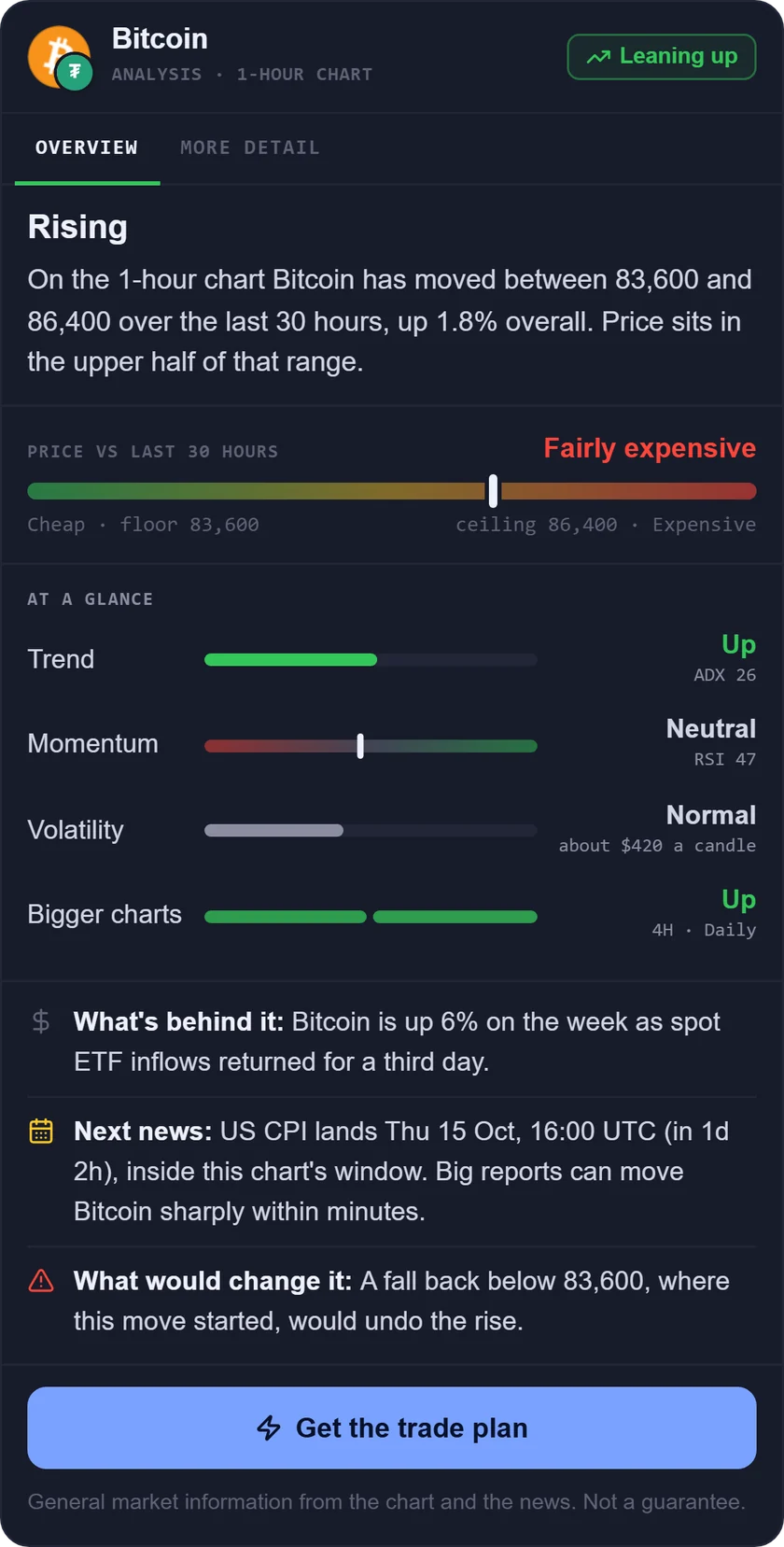
What it is: an AI trading assistant on iPhone, Android and the web. You ask about a market in your own words, and it reads live prices, indicators, today's news and the economic calendar before it answers.
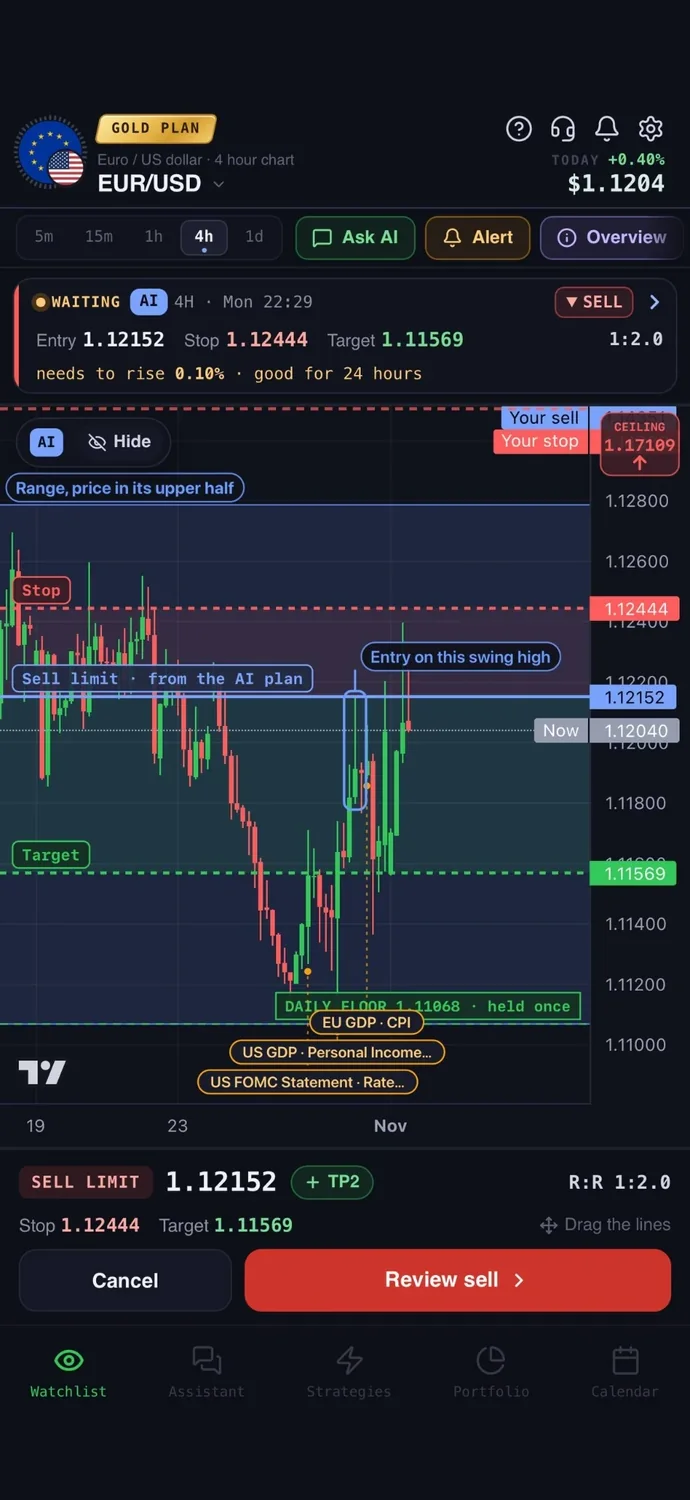
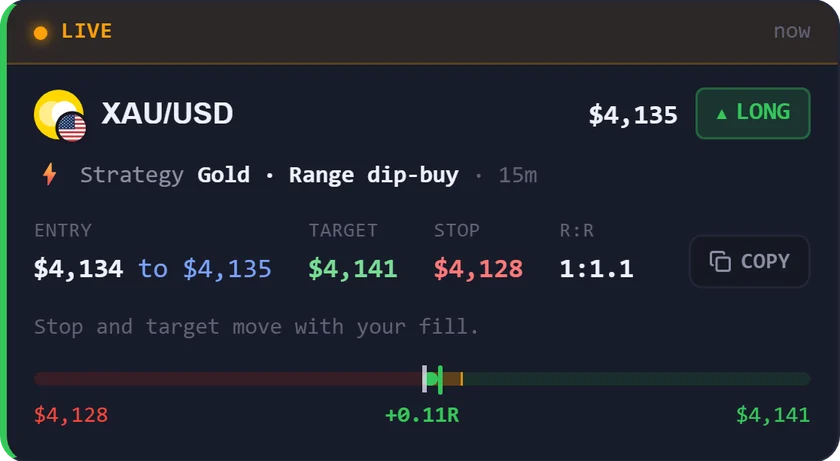
For gold: gold can jump on a single US data release. AiTradely gives a gold plan with an entry, a stop loss, a take profit and what would cancel the idea, and the economic calendar can remind you about 30 minutes before a big release. When you place the trade from the app, you set your risk in dollars and the stop loss, take profit and lot size are calculated for you. You can connect a broker account and place the order from the app: for cTrader on the Trader and Gold plans, and for MetaTrader 5 on the Gold plan. You confirm every order, and your money stays with your broker.
Easy to start: sign in with Google or Apple and type your first question the way you would ask a friend who trades. There is no code to write and nothing to set up first.
Price: your first questions and your first trade plan are on us; after that, the paid Trader and Gold plans are priced by country (see the pricing page).
Keep in mind: gold is one of many markets it covers, not its only one, and it is not a broker, so you still need a broker account to trade live. It is an analysis tool, not a robot, and it never places a trade without your confirmation.
2. MetaTrader 5: the platform most brokers offer
What it is: a trading platform for forex, stocks and futures that you connect to a broker account. MetaQuotes makes the software and is not the broker.
For gold: it runs on desktop, iPhone, Android and in a web browser. Whether you see gold, and which kind of price, depends on your broker's feed. It has indicators, many timeframes and push alerts. Its site lists an economic calendar, while the iPhone listing mentions news but not a calendar.
Price: the iPhone app is a $0 download with no in-app purchases listed.
Keep in mind: it cannot trade live money without a separate broker account, and whether gold is offered depends on that broker.
3. cTrader: modern charts through your broker
What it is: a trading platform you connect to a broker account or a demo. It is not a broker.
For gold: the iPhone listing mentions metals and gold, with several chart types such as Renko and Heikin-Ashi, drawing tools, news, and price alerts at a level you choose. Live or delayed price depends on the broker.
Price: the iPhone app is listed at $0. Store add-ons range from $0 to $1,995.
Keep in mind: live trading needs a cTrader broker account, and the download page says it is not available to citizens or residents of the USA.
4. TradingView: the charting specialist
What it is: a charting and market-tracking platform with a community of traders, on iPhone, iPad and the web.
For gold: the XAUUSD page credits ICE Data Services. You get drawing tools, Bar Replay to replay past price, Pine Script for custom tools, a detailed economic calendar and cloud alerts. You can trade through integrated brokers.
Price: per month, billed annually: Basic $0, Essential $12.95, Plus $29.95, Premium $59.95, Ultimate $199.95.
Keep in mind: Basic allows only 2 indicators per chart and 3 price alerts. See also our TradingView comparison.
5. Kitco (Gold Live!): a simple spot price tracker
What it is: a precious-metals prices, charts and news site and app from Kitco Metals Inc.
For gold: the site says its live gold price updates every few seconds in trading hours. The app has live and historical charts, a watch list, a widget, market alerts and breaking news alerts.
Price: the iPhone app is $0 with advertising.
Keep in mind: it is an information app and does not place trades. Kitco also runs a bullion store, so treat that as a separate product. An economic calendar is not stated.
6. Investing.com: news, calendar and quotes together
What it is: a financial data and news app. Its own listing says it is not a trading platform.
For gold: it tracks commodities like gold and silver, with interactive charts, 100+ indicators, an economic calendar filtered by country and impact, and price and news alerts.
Price: the app is a $0 download. In-app Pro is $18.95 monthly or $229.00 yearly.
Keep in mind: the site's own disclaimer says prices are indicative, not for trading and not necessarily real-time. It places no trades.
7. FXStreet: forecasts and the event calendar
What it is: a forex news, analysis, charts and economic calendar site and app. It is not a broker.
For gold: the app covers gold price updates, XAU/USD forecasts on the site, a calendar with macro events from 42 countries, watchlists and custom alerts for price, news and events.
Price: the iPhone app is listed at $0. In-app prices are not stated.
Keep in mind: the app says it is for informational and educational purposes only, so you need another app to trade.
How to choose the best app for gold trading
- You want a gold plan with entry, stop and target, plus an order from the app: AiTradely.
- You want one platform that works with many brokers: MetaTrader 5.
- You want modern chart types on a broker platform: cTrader.
- You want deep charting, replay and custom indicators: TradingView.
- You want a quick live spot gold price and metals news: Kitco (Gold Live!).
- You want news, calendar and quotes in one app: Investing.com.
- You want gold forecasts and an event calendar: FXStreet.
More comparisons: the best AI trading apps, the best AI apps for gold trading, TradingView alternatives, ChatGPT for trading vs AI apps, the best forex trading apps, the best trading apps for beginners, the best crypto trading apps, the best AI for stock trading, the best trading journal apps, AI trading bots vs assistants and the best AI apps for MetaTrader 5.
Common questions
01What is the best app to invest in gold?
This list covers apps for trading gold price moves, not for buying physical gold or digital gold from a dealer. If you want to own metal, that is a different choice, and you should check the seller is regulated where you live.
02Do I need a broker to use a gold trading app?
To trade live, yes. Platforms like MetaTrader 5 and cTrader connect through a broker, and AiTradely is not a broker. Price and news apps need no broker, but they place no trades.
03Is there a good gold and silver trading app?
Kitco covers spot gold and spot silver prices, and Investing.com tracks gold, silver and other commodities. Whether you can trade silver depends on your broker.
04Which xauusd app is best for beginners?
A simple price app with alerts is easy to start with, and an assistant like AiTradely lets you ask in plain words. Whatever you use, read our beginner apps comparison and size your risk first.
How to plan a gold trade in AiTradely
- Sign in with Google or Apple.
- Ask about gold in your own words, for example what the gold setup looks like on the 1h chart.
- Read the plan: the entry, the stop loss, the take profit and what would cancel the idea. Check the economic calendar for a release close by.
- Tap "Alert me" to be told when price reaches the entry, or place the order yourself from the app on your connected broker account.
After reading this list, the practical next step is to try one gold question in the app and look at how the plan is built. Ask about gold, check the calendar for the next big release, and size your risk with the position size calculator before you decide anything yourself.
Nothing here is financial advice. Gold can move sharply on a single data release, so a stop loss can fill worse than planned and you can lose more than you expect.
 AiTradelyYour AI trading analyst, in your pocketAI analysis for gold, forex and stocks. Build and backtest strategies, get signals, and trade from your own broker account.
 On your phoneScan for the app