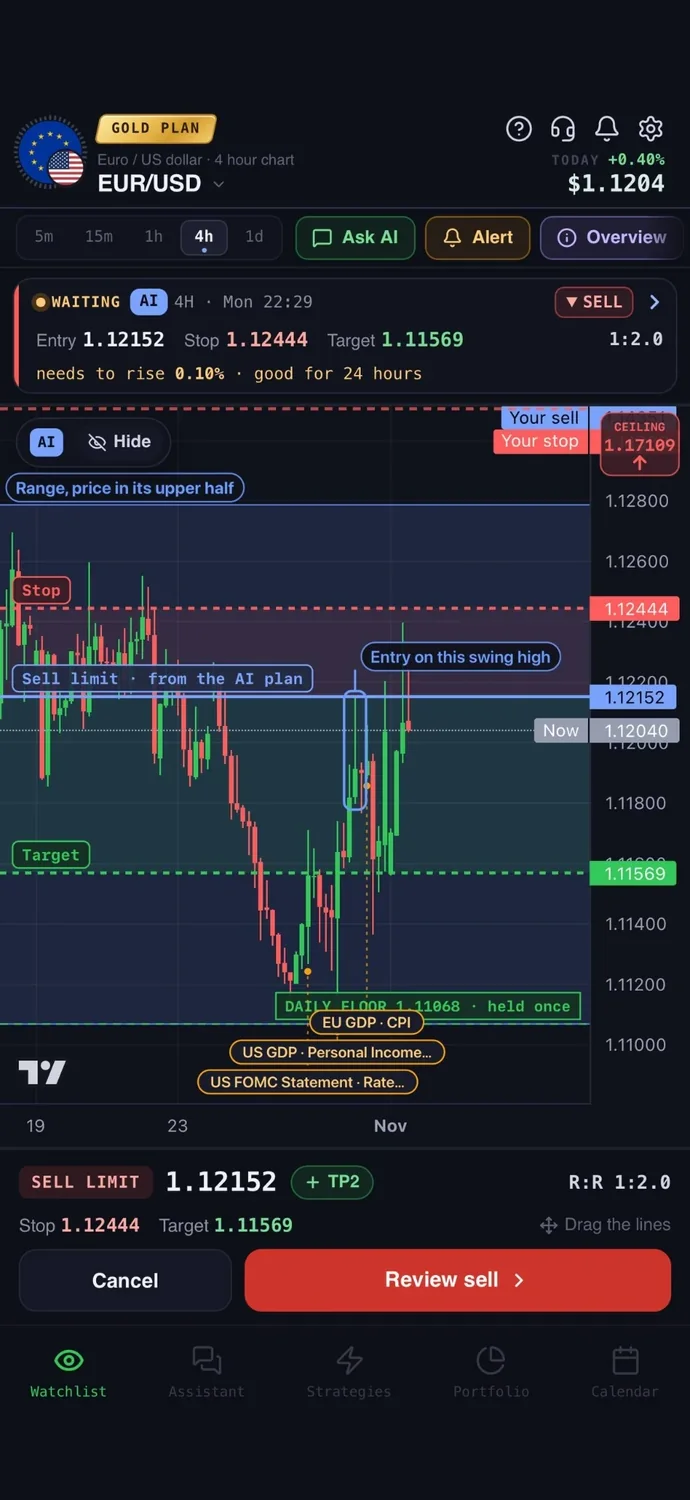

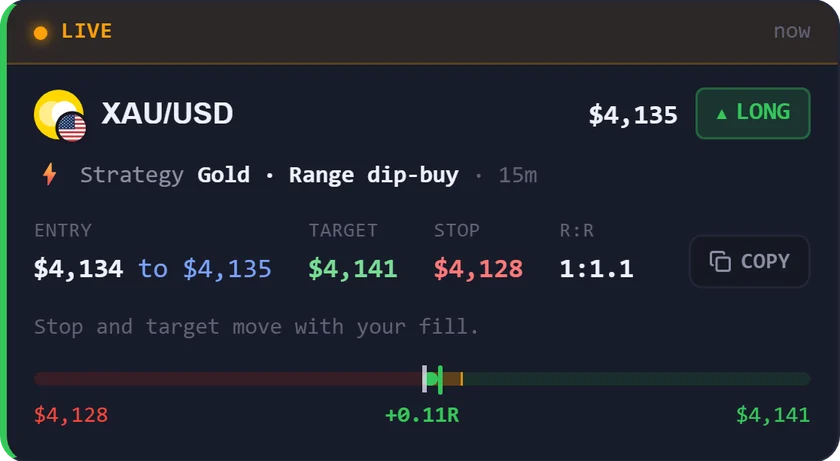
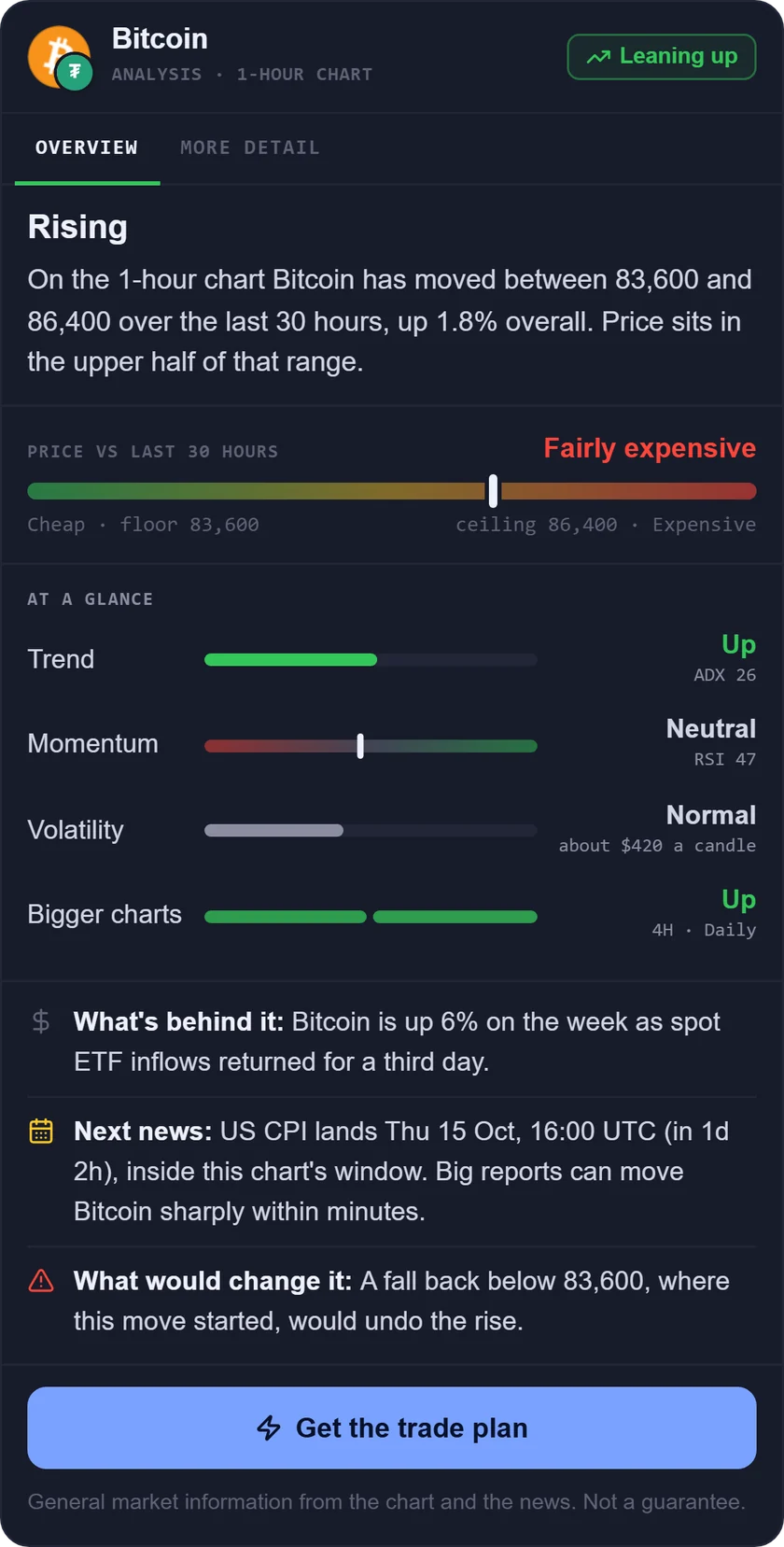
The best ChatGPT alternative for trading is an AI tool that loads market data for you, instead of working from what it finds in a web search or what you paste in. ChatGPT is useful for learning concepts, drafting a trading plan and explaining an indicator. But to analyse today's chart, many traders want an AI trading assistant that loads live market data. Below are 7 tools compared on the same checks. For the longer story on where a general chat assistant falls short, see ChatGPT for trading vs AI apps.
ChatGPT alternatives for trading at a glance
We compared 7 apps on the same checks. We make AiTradely, so it is on this list.
| Tool | Live data | What you can ask | Alerts | Places trades | Starting price |
|---|---|---|---|---|---|
| AiTradelyPlans with entry, stop and target across forex, gold, crypto and stocks | Prices, indicators, news, calendar | Any covered market, in your own words | Yes, push and Telegram | Yes, only after you confirm | First questions and first plan at no cost; paid plans priced by country |
| TradingView AI CopilotTradingView users who want chart tasks done by chat | TradingView data; real-time or delayed not stated | Chart setup, screeners, Pine Script | Yes | Not stated | Copilot add-on price not stated; platform plans from $12.95 a month, billed yearly |
| TrendSpider SidekickChart-focused traders who want AI-built scanners | Fetched when you ask | Chart levels, earnings, scanners | Yes | No | Included with TrendSpider (25 messages a month); add-ons from $49 a month |
| Perplexity (Finance)Researching a stock with sources | Near real-time prices | Stock comparisons, filings | Yes, rolling out | Not stated | A free tier; Pro $20 a month |
| Intellectia AIAI stock picks and swing signals on mobile | Not stated for the assistant | Research, screening | Yes | Yes, after you confirm | A free tier; from $14.95 a month, billed monthly |
| MarketDesk AIMobile market Q&A on US and Indian stocks | Live prices, timestamped | Plain-English questions | Yes | No | A free tier with ads; Pro price shown in the app |
| CandlesenseIntraday US stock traders who like voice | Real-time price data | Market analysis by voice | Yes | Not stated | Pro $75 a month; a 10-day trial |
Everything about the other apps comes from their own websites and store pages, checked on 9 November 2026. Prices and features change, so check the app before you pay.
How we compared them
We asked the same questions of every app:
- Does it load live market data, or does it answer from general knowledge?
- What can you ask it, and does it work on charts?
- Can it send you an alert?
- Can you place a trade from it, and who confirms the order?
- What does it cost, and what is the catch?
1. AiTradely: an AI trading assistant on live data
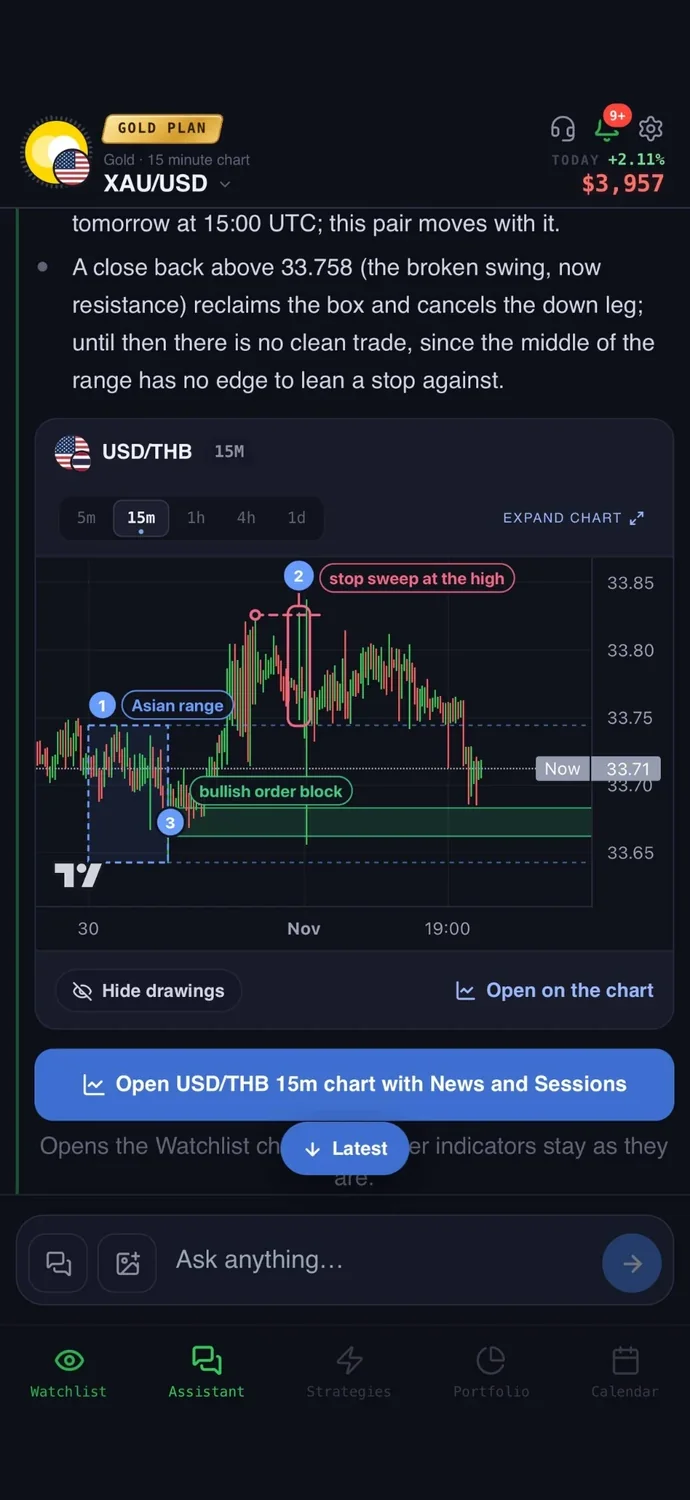
What it is: an AI trading assistant on iPhone, Android and the web. You ask about a market in your own words, and it reads live prices, indicators, today's news and the economic calendar before it answers.
With live data: general chat assistants answer from web search results or whatever you paste in. AiTradely loads live prices, indicators, today's news and the economic calendar before it answers, then turns the answer into a plan with an entry, a stop loss and a take profit that you can set an alert on. A strategy builder lets you describe a rule in words, test it on past prices and get a push and a Telegram message when it fires.
Easy to start: sign in with Google or Apple and type your first question the way you would ask a friend who trades. There is no code to write and nothing to set up first.
Price: your first questions and your first trade plan are on us; after that, the paid Trader and Gold plans are priced by country (see the pricing page).
Keep in mind: it covers its own list of markets (forex pairs, gold and other commodities, major coins and about 40 large US and Canadian stocks), not every ticker. It is an analysis tool, not a robot, and it never places a trade without your confirmation.
2. TradingView AI Copilot: chart tasks by chat
What it is: an assistant in the side panel of TradingView's charts. It adds indicators, draws levels, runs screeners, creates alerts and watchlists, and writes Pine Script, TradingView's scripting language.
With live data: it uses TradingView data such as quotes, news and calendars. Whether that data is real-time or delayed is not stated. It runs on web and desktop, not yet in the mobile apps.
Price: Copilot is an add-on on every paid plan, and its price is not listed. Platform plans start at $12.95 a month billed yearly, and Basic is $0.
Keep in mind: it has a monthly usage limit, handles one request at a time and can be wrong or use outdated information. It does not tell you what to buy or sell.
3. TrendSpider Sidekick: scanners and alerts from a prompt
What it is: an assistant inside the TrendSpider charting platform. It reads your current chart, builds scanners and custom indicators, and sets up alerts.
With live data: it is not a continuous stream. Sidekick retrieves current market and research data when you ask, and freshness depends on the source. It can use prices, filings, earnings transcripts and insider and options activity.
Price: Sidekick comes with 25 messages a month. Paid add-ons start at $49 a month for 100 messages and need a TrendSpider subscription. Trial terms are unclear on the pricing page, so check it.
Keep in mind: it never places or closes trades on its own, and it can misread instructions or build unsuitable conditions. Check what it made.
4. Perplexity (Finance): sourced stock research
What it is: a general AI answer engine with a Finance section for stock pages, watchlists, earnings and market questions. It is research, not charting.
With live data: Perplexity describes its stock prices as near real-time, standard for non-professional data feeds. It does not claim professional-grade real-time pricing. You can ask it to compare companies side by side or answer questions about filings.
Price: a free tier at $0, Pro at $20 a month and Max at $200 a month. Limits on the free tier apply to the whole product, not only Finance.
Keep in mind: the exact feed and delay are not named. Price alerts are described as rolling out gradually, and which plans include which Finance features is not stated.
5. Intellectia AI: stock picks and swing signals
What it is: an AI research app for stocks, ETFs and crypto. Its assistant, Alphio, sits beside AI stock picks, swing signals and a screener.
With live data: the homepage does not say whether the assistant's data is live or delayed, though its monitor tool mentions real-time alerts. It has custom alerts, and you can link a supported broker and place orders yourself.
Price: a free tier at $0 with 400 total credits. Paid plans run from $14.95 to $89.95 a month on monthly billing, and cost less per month on yearly billing.
Keep in mind: usage is credit-based, some tools such as backtesting are paid add-ons, and its content is informational, not advice.
6. MarketDesk AI: market Q&A on your phone
What it is: a phone app with an AI assistant called Desk AI, AI signals, a chart scanner, a screener, calendars and a portfolio tracker.
With live data: it says it covers live prices, news and fundamentals for stocks, coins and currency pairs, including US and Indian stocks. Every answer shows a data timestamp. Charts include RSI, MACD and Bollinger Bands.
Price: a free tier with ads and a limited number of fast answers. Pro is billed monthly or yearly through the app stores, and its price shows only in the app.
Keep in mind: it is a research tool. It never executes trades or connects to brokerage accounts, and its own page warns that AI analysis can contain mistakes.
7. Candlesense: voice assistant for intraday stocks
What it is: a voice-driven AI Sidekick, labelled Beta, for active intraday traders. It comes with scans, news and smart alerts on a web dashboard.
With live data: it says the assistant has full access to real-time price data, stock news and press releases for US-listed stocks, including premarket and after-hours. The data source and delay are not stated.
Price: Pro is $75 a month, with a 10-day trial.
Keep in mind: it is built for intraday trading, not swing trading, and its own page says its charts are not as strong as dedicated platforms. Order placement is not stated.
How to choose a ChatGPT alternative for trading
- You want live prices, news and the calendar read before a plan with entry, stop and target: AiTradely.
- You already live in TradingView and want the chat to run your chart: TradingView AI Copilot.
- You want AI-built scanners and chart-based alerts: TrendSpider Sidekick.
- You want sourced answers when researching a stock: Perplexity (Finance).
- You want AI stock picks and swing signals, with orders you place yourself through a supported broker: Intellectia AI.
- You want quick market Q&A on your phone, including Indian stocks: MarketDesk AI.
- You trade US stocks intraday and like talking to your tools: Candlesense.
More comparisons: ChatGPT for trading vs AI apps, the best AI trading apps, TradingView alternatives, the best AI for stock trading, AI trading bots vs assistants and backtesting without coding.
Common questions
01What is the best ChatGPT alternative for trading?
It depends on what you trade and what you need. Tools that load live market data for you suit current-market questions, while chart-first tools suit people who already work in a charting platform.
02Why not just use ChatGPT for trading?
ChatGPT is good for learning, explaining indicators and writing a trading plan. For a question about today's price action, a general chat assistant answers from web search results or what you paste in, so you have to check how current that is.
03Can an AI trading assistant place trades?
Some can, but only after you confirm. Others are research-only and never connect to an account. In every case you should be the one who decides and places the order.
04Do these apps give guaranteed signals?
No. Some of these tools, such as TradingView Copilot, TrendSpider Sidekick and MarketDesk AI, warn on their own pages that output can be wrong or contain mistakes, and none of them can promise a result. Treat every answer as one input and check it against your own plan and risk.
How to ask AiTradely about a market
- Sign in with Google or Apple on iPhone, Android or the web.
- Ask in your own words, for example whether gold looks stronger or weaker on the 1h chart and why.
- Read the plan it builds: the entry, the stop loss and the take profit, plus the reasoning behind them.
- Tap "Alert me" to be told when price reaches the entry, or place the order yourself.
After your first question, the next step is the plan screen and the alert. Pick a timeframe that matches how long you hold trades, set an alert at the entry, and use the strategy builder if you want a rule of your own tested on past prices before it sends you a push or a Telegram message.
Nothing here is financial advice. AI answers can be wrong or out of date, so check every plan against your own risk before you place any order.
 AiTradelyYour AI trading analyst, in your pocketAI analysis for gold, forex and stocks. Build and backtest strategies, get signals, and trade from your own broker account.
 On your phoneScan for the app