ChatGPT for trading works well as a tutor and a sounding board. It can explain a concept, pick holes in your reasoning and help you think an idea through. It is a general chat tool, though, and it was not built to watch markets for you or to carry out a trade. So is ChatGPT good for trading? Good for learning and thinking, limited as a trading tool on its own.
ChatGPT for trading vs AI trading apps at a glance
We make AiTradely, an AI trading app, so read this knowing that. Everything about ChatGPT comes from OpenAI's own pages, checked on 5 November 2026.
| Job | ChatGPT | An AI trading app such as AiTradely |
|---|---|---|
| Explaining a concept | A core strength | Explains in plain words, using live data from the market you ask about |
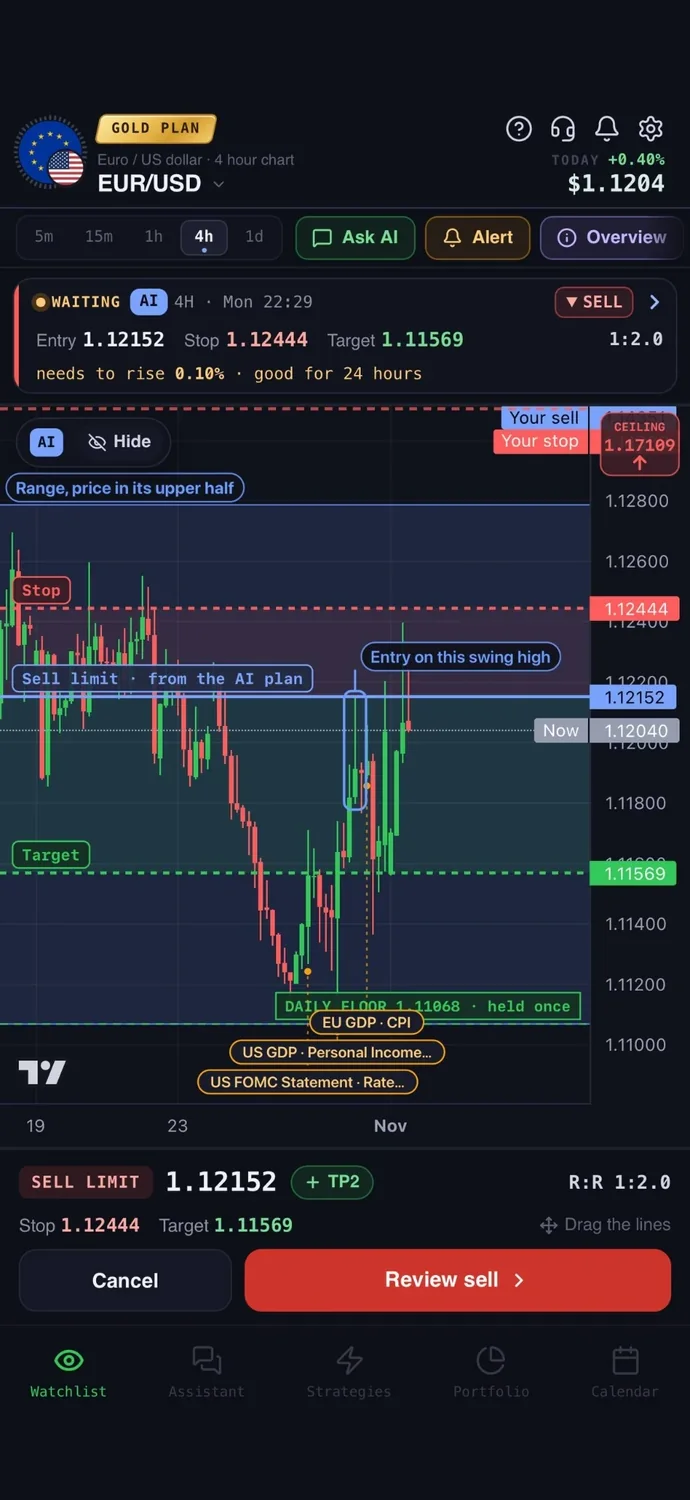
| Reading a chart screenshot | You can upload an image; we have no accuracy figures to give | Not needed: it reads live prices and indicators itself, and draws the key levels on the chart |
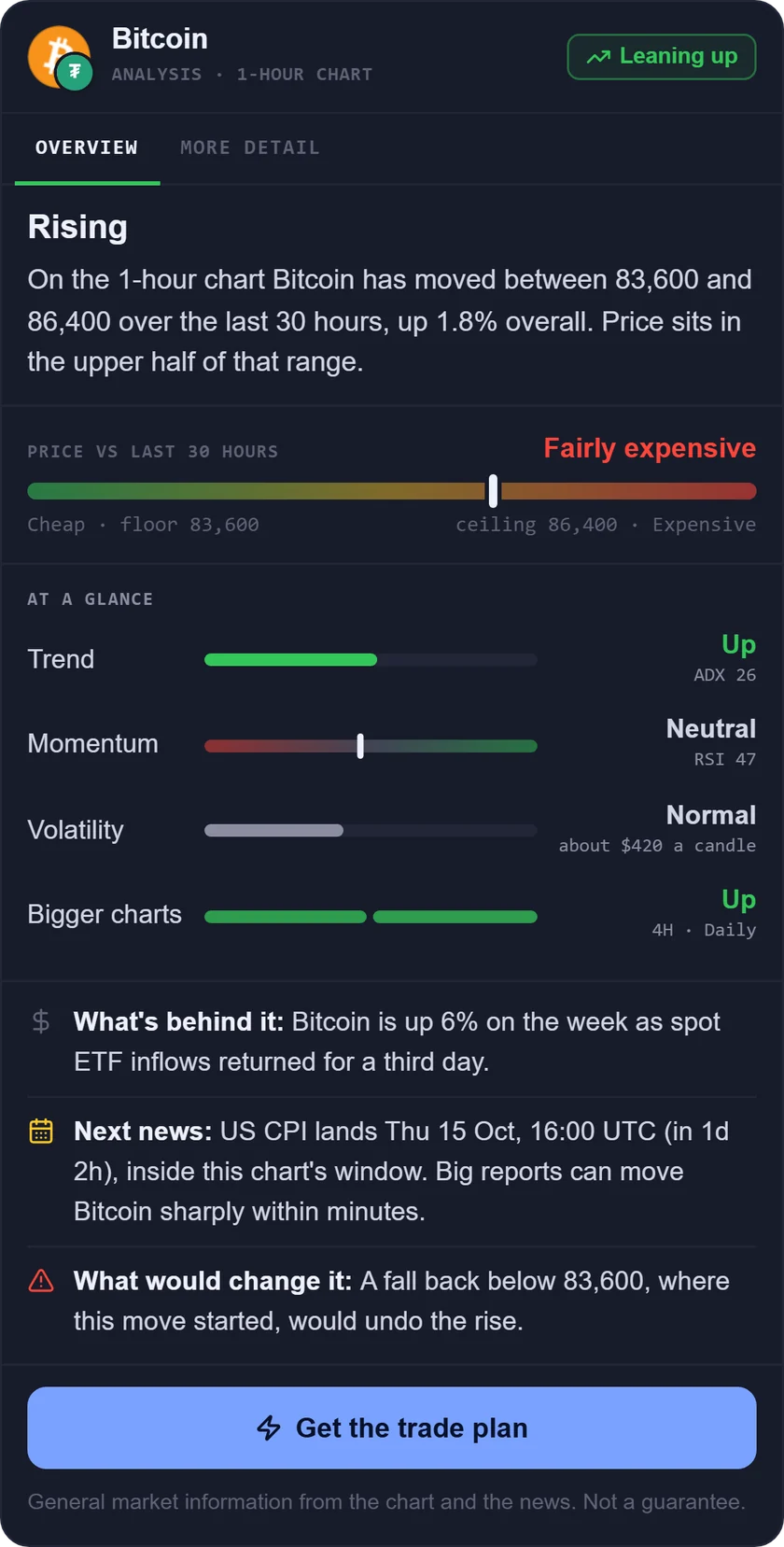
| Current prices and news | Web search, which OpenAI says can be incomplete, outdated or incorrect; third-party data plugins exist | Reads live prices, indicators, today's news and the economic calendar before it answers |
| An entry, stop and target | OpenAI's pages describe no trade-plan feature; any levels you ask for have not been tested on history | A trade plan with entry, stop loss, take profit, risk to reward and what would cancel the idea |
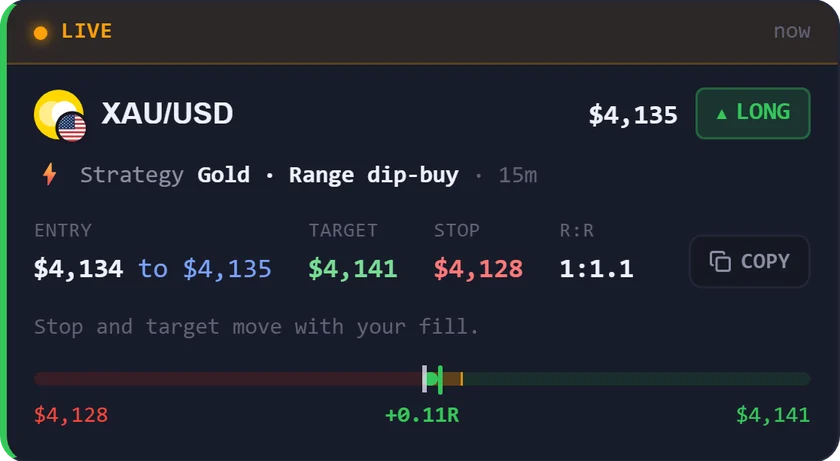
| Alerts when something happens | Scheduled tasks that rerun on a schedule; event triggers listed for Gmail, Slack and GitHub | Alerts tied to a price or to your strategy, by push and Telegram |
| Testing a rule on history | You supply the price file and the rules, and check the code | Describe the rule in words and test it on real price history |
| Placing a trade | We did not find a broker connection on OpenAI's pages | Connect a broker account and place the order from the app; you confirm it |
| Cost | A free tier exists; Plus is $20 a month in the US; prices vary by country | Your first questions and first trade plan are on us; the paid Trader and Gold plans are priced by country |
What ChatGPT does well
For learning, it is hard to beat. Ask it what a stop loss is, why traders talk about risk to reward, or how RSI differs from MACD, and then keep asking "why" until it clicks. It adjusts to your level and never gets tired of follow-ups.
It is also a good second opinion on your own thinking. Write out a plan: "I want to buy a pullback to the 50-day average, with a stop below the last low." Then ask it to list what could go wrong, what you have left out and which market conditions would make the idea weaker. You get a checklist of blind spots before any money is at risk.
You can upload a chart screenshot and ask it to describe what it sees, such as the trend, the nearest highs and lows and where price sits against an indicator. OpenAI lists image upload as a feature. Treat the answer as a conversation starter and check it against the chart yourself.
It can also work with data. OpenAI's data analysis feature reads files you upload, such as a CSV of prices, writes and runs Python code and draws charts. If you can export daily prices for an asset, you can ask for the average move after a red day, a simple chart of drawdowns or a table of results by weekday. That is real analysis. Data analysis is limited on the no-cost tier, and what you can do depends on your plan.
The tool is also far broader than any trading app. It writes emails, summarises documents and helps with code, and trading is only one use among many.
Where ChatGPT falls short for trading
Current information. ChatGPT has web search on its plans, and it answers with links. OpenAI says plainly that search results and citations can be incomplete, outdated or incorrect, and tells users to open the source and check it. For a price that changes every second, that matters. Third-party market-data plugins such as Alpha Vantage exist inside ChatGPT and list real-time and historical prices and technical indicators. They are the provider's product, so check what your plan allows before relying on one.
Alerts. Scheduled tasks can run a check on a schedule and notify you by push or email. Paid plans can go down to hourly, and each plan has a limit on active tasks. Event-triggered tasks are listed for Gmail, Slack and GitHub activity, not for market events. We did not find a price alert tied to a market feed.
Orders. We did not find a broker connection or an order-placing feature on OpenAI's pages. OpenAI's policy for its agent feature, updated in July 2025, tells users not to automate stock trading or other investment transactions. If you were hoping to point it at a MetaTrader account and let it run, that is not what OpenAI describes.
Backtesting. OpenAI does not call its data analysis feature backtesting. You supply the price file and the rules, and OpenAI tells you to review the generated code, the outputs and the assumptions. Costs, slippage and whether the rules were applied the way you meant are yours to check. A result you cannot verify is worse than no result.
OpenAI's Terms of Use also say its output may be inaccurate and should not replace professional advice.
What an AI trading app adds
A dedicated app is built around one loop: look at the market, form a plan, get told when it matters, act. In AiTradely's case:
- Live data on every answer. The assistant reads live prices, indicators, today's news and the economic calendar before it answers, so you are not pasting numbers in.
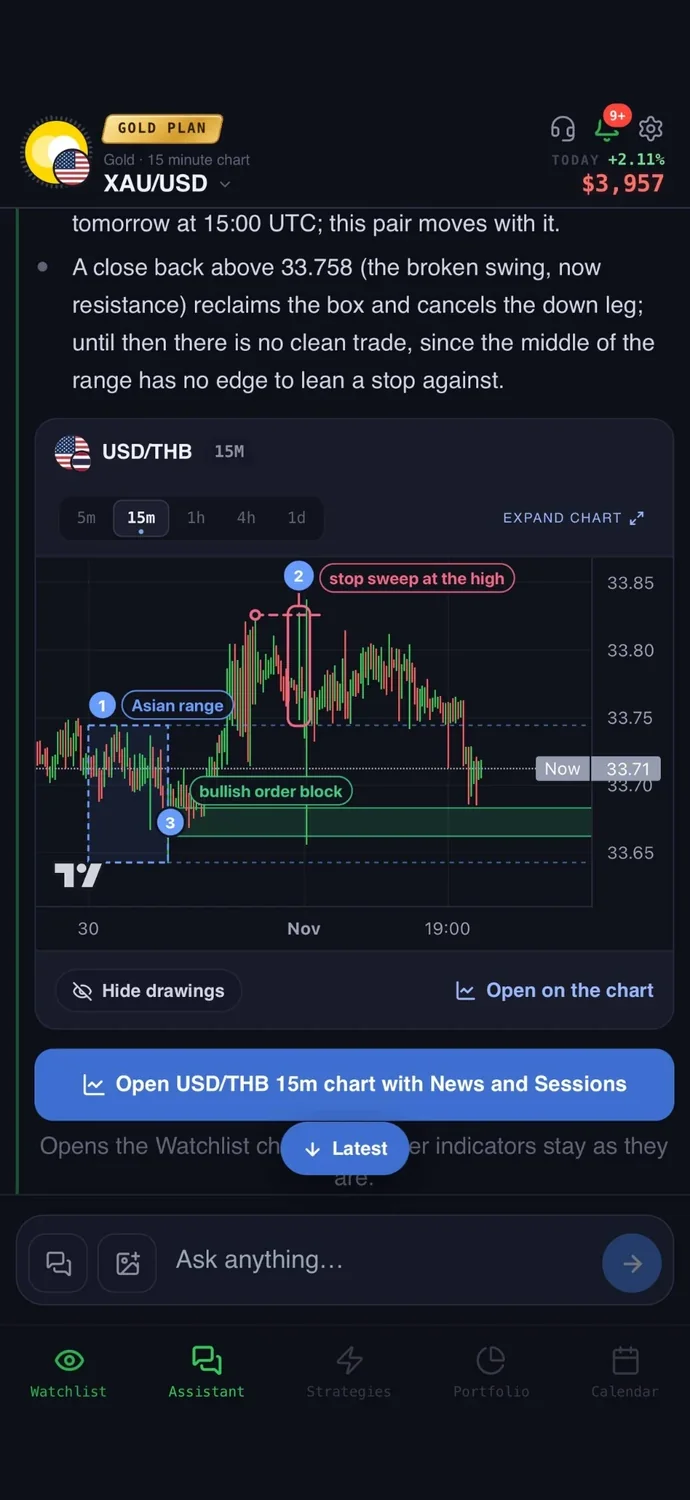
- A plan with levels. A trade plan gives an entry, a stop loss, a take profit, the risk to reward and what would cancel the idea, with the key levels drawn on the chart.
- Alerts. The strategy builder lets you describe a rule in words, such as RSI below 30 with price above a moving average. You test it on real price history, and you get a push and a Telegram message when it triggers.
- No file to prepare. The backtest runs on the app's own history.
- The order, with you in charge. You can connect a broker account and place the order from the app: cTrader on the Trader and Gold plans, MetaTrader 5 on the Gold plan. You confirm every order and your money stays with your broker.
The trade-off is range. A trading app does less of everything else. It will not write your emails, and ChatGPT is the far broader tool. It is an analysis tool, not a robot. For more on how the two approaches compare, see AI trading analysis vs traditional tools, or best AI apps for gold trading if gold is your market.
How to use ChatGPT for trading safely
- Ask it to explain and to challenge. Use it to learn terms and to argue against your idea. Ask "what would make this trade wrong?" before you ask "is this a good trade?"
- Give it prices from a source you trust. If you paste in data, say where it came from and the date. If it looks something up, open the link and check the date on anything it quotes.
- Never treat its levels as a tested plan. An entry, stop and target it suggests have not been run on history unless you ran them. Check the code and the assumptions if you ask for a test.
- Size from your stop. Decide how much you can lose, measure the distance to your stop and work out the position from that. The position size calculator does the arithmetic.
- Keep the final decision yours. You place the trade, you own the result.
More comparisons: the best AI trading apps, the best AI apps for gold trading, TradingView alternatives, the best forex trading apps, the best trading apps for beginners, the best crypto trading apps, the best gold trading apps, the best AI for stock trading, the best trading journal apps, AI trading bots vs assistants, ChatGPT alternatives for trading and backtesting without coding.
Common questions
01Can ChatGPT predict the market?
OpenAI's Terms of Use say output may not always be accurate and should not be relied on as a sole source of truth or a substitute for professional advice. Use it to structure scenarios and think about risk, not to expect a reliable call on where price goes next.
02Can ChatGPT read a trading chart?
You can upload a chart image and ask about it, and OpenAI lists image upload as a feature. We have no figures on how well it reads charts, so check anything it says against the chart itself.
03Can ChatGPT place trades?
We did not find a broker connection on OpenAI's pages, and its agent policy tells users not to automate stock trading or other investment transactions. Placing the order is a separate step you take with your broker.
04Is ChatGPT good for trading stocks or day trading?
It is useful for learning, planning and reviewing your own trades. Day trading depends on current prices and fast alerts, and OpenAI says web search results can be outdated, so a live data source matters more there.
Using both
The two tools do different jobs, and many traders will want both. Use ChatGPT when you want to learn, rehearse an argument or examine a file of your own trades. Use a trading app when you need current data, defined levels and an alert that arrives when conditions are met.
If you want to carry this on in AiTradely, ask the AI assistant about an asset you follow and read the trade plan it builds, with the entry, stop and target on the chart. Then put one idea you have been discussing into the strategy builder, test it on history and see whether it holds up before you rely on it.
Nothing here is financial advice. A chatbot can sound confident while being wrong or out of date, so never trade on its levels without checking them yourself.
 AiTradelyYour AI trading analyst, in your pocketAI analysis for gold, forex and stocks. Build and backtest strategies, get signals, and trade from your own broker account.
 On your phoneScan for the app