Lesson 12 · 10 min

Brokers, MetaTrader 5 and cTrader

What a broker does, what MetaTrader 5 and cTrader are, what trading costs, and how to connect your broker to AiTradely.

  1. 1
  2. 2
  3. 3
  4. 4
  5. 5
  6. 6
  7. 7
  8. 8
  9. 9
  10. 10
  11. 11
  12. 12
Step 1

What a broker does

A broker holds your money, shows you its buy and sell prices, and carries out your orders. It earns from the spread and its fees. AiTradely is not a broker: it reads the markets and writes plans, and once you connect your broker it can send an order there, only after you confirm it. Your money never leaves your broker account.
YOU

Decide the plan

Confirm every order

AITRADELY

AI analysis and plans

Sends your confirmed order

YOUR BROKER

Holds your money

Fills the order at its prices
Your money sits with the broker, in an account in your name. AiTradely never holds it.
Step 2

The trading platform

Your broker gives you a trading platform: the app where you see your balance, the prices and your open trades, and where you place orders. Most brokers offer one of two: MetaTrader 5 or cTrader. The platform is only the screen. Your money and your account stay at the broker.
YOUR BROKER

Holds your money

Fills your orders

METATRADER 5

Prices and charts

Buy and sell

CTRADER

Prices and charts

Buy and sell

Two screens, one broker: the platform shows your account, the broker holds the money.
Step 3

MetaTrader 5

MetaTrader 5, or MT5, is made by MetaQuotes and offered by more brokers than any other platform. It runs on a computer, in a browser and on a phone. When you open an MT5 account, the broker sends you three things, and they are all you need to sign in:
  1. Login: your account number.
  2. Password: the one the broker sends you, or the one you chose.
  3. Server: the name of the broker's MT5 server, for example Broker-Live.
What your broker sends you when you open an MT5 account.
Step 4

cTrader

cTrader is made by Spotware and offered by fewer brokers. You sign in with one cTrader ID, and every cTrader account you hold at any broker shows up under it. Charts and orders work as on MT5: buy, sell, a stop loss and a take profit.
 MT5CTRADER
Made byMetaQuotesSpotware
Sign in withLogin, password, serverA cTrader ID
Offered byMost brokersFewer brokers
Works onComputer, web, phoneComputer, web, phone
Two platforms, the same trading: buy, sell, a stop loss and a take profit.
Step 5

What trading costs

Every trade costs something, win or lose. The spread you know from lesson 2. Some accounts add a commission per trade, and trades held overnight pay or earn a small swap. These costs are why lesson 8 said the break-even numbers go up a little in real life.
COSTWHAT IT ISWHEN
SpreadGap between buy and sell priceEvery trade
CommissionA fee per trade, on some accountsEvery trade
SwapA fee for holding a trade overnightEach night
Each broker lists its costs. Compare them before you open an account.
Step 6

Deposits and withdrawals

Opening an account takes a few minutes, and the broker usually checks your ID the same day. Three habits keep it safe:
  1. Open the account on the broker's own website, in your own name, with your photo ID.
  2. Deposit only money you can afford to lose. It goes to your broker, not to AiTradely.
  3. Early on, ask for a small withdrawal and check that it arrives. A good broker pays out without excuses.
Step 7

Connect your broker to AiTradely

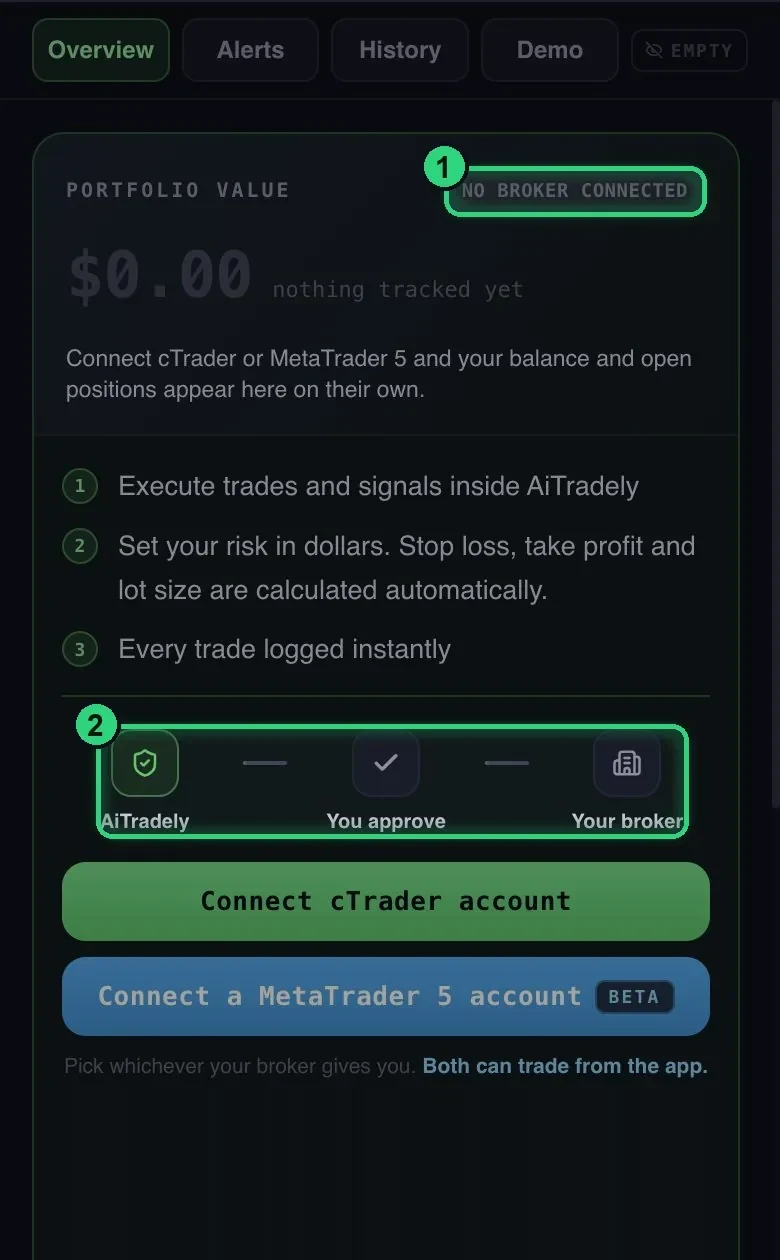
Once your account is open, connect your broker to AiTradely in Portfolio: your MT5 account with its login, password and server, or your cTrader account with your cTrader ID. From then on you can send AI trade plans and strategy signals to your broker from the app. The green numbers on the screenshot match:
  1. No broker connected: until you connect one, the app only analyses and plans.
  2. AiTradely, you approve, your broker: every order goes to your broker only after you confirm it. You set the risk in dollars and the app works out the size.

AiTradely is compatible with MetaTrader 5 and connects cTrader accounts. Connecting a broker is part of the Gold plan.

Portfolio in AiTradely before a broker is connected: AiTradely, you approve, your broker
Portfolio in the app on 20 October 2026

Watch out. Trading with leverage can lose money fast, and most retail accounts that trade CFDs lose money. Only deposit what you can afford to lose, and keep following the plan from lesson 11.

Words

New words in this lesson

Broker
The company that holds your trading account and carries out your orders.
Trading platform
The app where you see prices and your account, and place orders.
MetaTrader 5
The trading platform most brokers offer, made by MetaQuotes.
cTrader
A trading platform made by Spotware, offered by fewer brokers.
Server
The name of your broker's MT5 system, part of your login.
Commission
A fee some accounts charge for every trade.
Swap
A small fee or payment for holding a trade overnight.
Withdrawal
Taking money out of your broker account back to your bank.
Check yourself

Test yourself

6 questions, 2 of them with a picture. Tap an answer to see right away if it is correct and why. You pass with 5 of 6; retry any time.

1What does AiTradely do with your money?
2What is MetaTrader 5?
3Your broker sends you an MT5 account. What do you sign in with?
4You held a trade overnight. Which cost is added for that?
5Who makes cTrader, and how do you sign in?
6You tap Execute on an AI trade plan. What happens?
YOU

Decide the plan

Confirm every order

AITRADELY

AI analysis and plans

Sends your confirmed order

YOUR BROKER

Holds your money

Fills the order at its prices

Your broker, connectedConnect your broker to AiTradelySend AI trade plans and strategy signals to your MetaTrader 5 or cTrader account in one tap. You confirm every order.
Start in your browser
QR code for the AiTradely appPrefer your phone?Scan to get the app
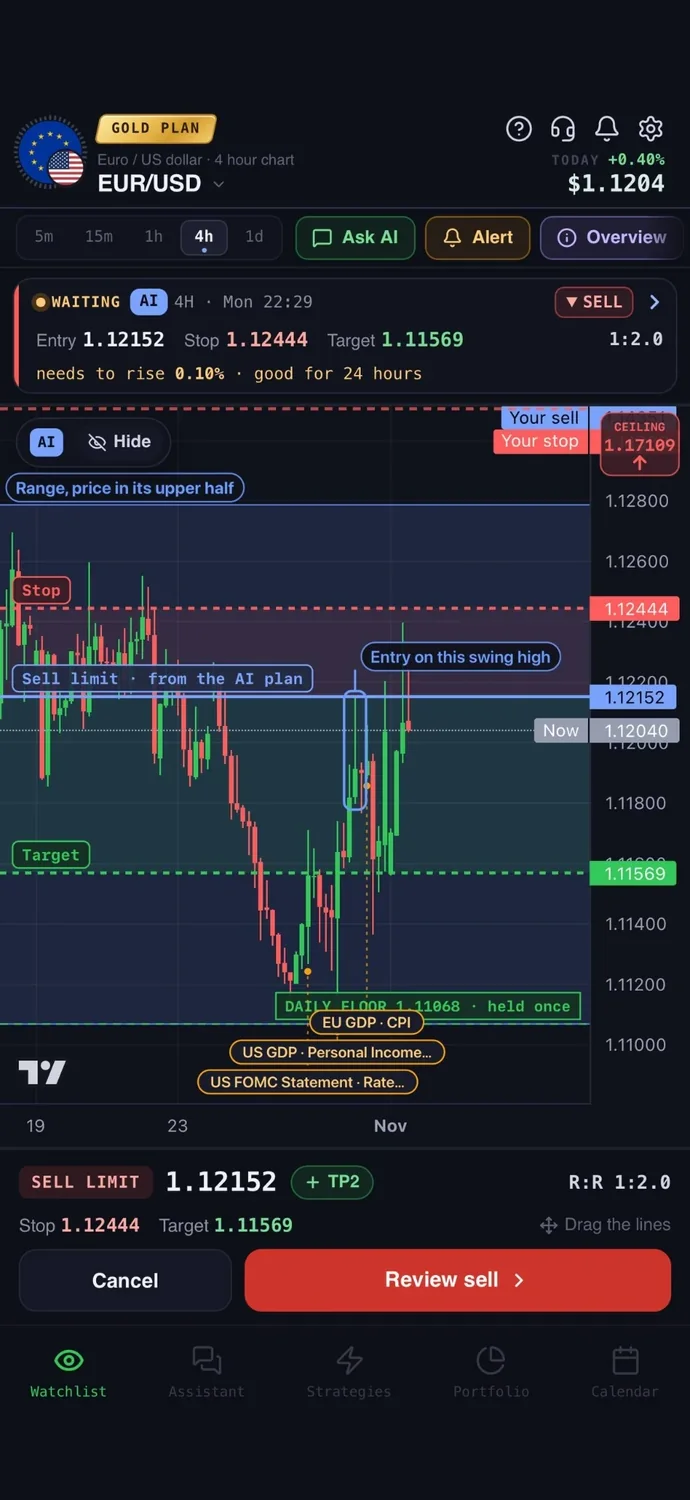
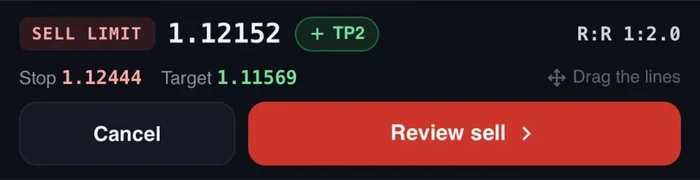
The order ticket, ready to send to the broker

Risk warning. Trading financial markets involves a high risk of loss and is not suitable for everyone. This course is education, not financial, investment or tax advice. The charts are drawn examples, not real prices or predictions. Past behaviour of a market does not guarantee what it does next. You make your own trading decisions.